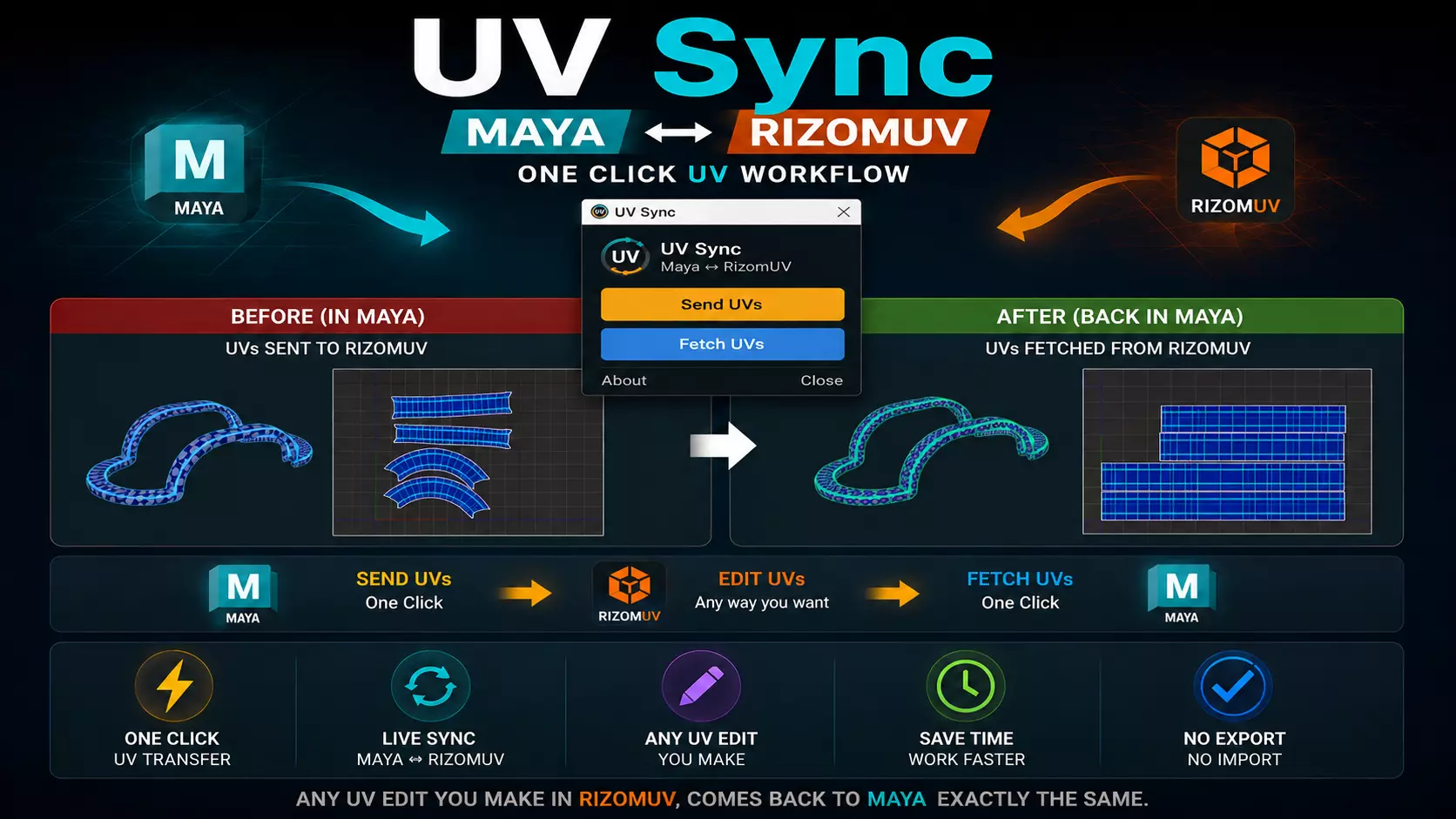
Speed up your UV workflow with UV Sync, a one-click bridge between Autodesk Maya and RizomUV.
Instead of manually exporting and importing OBJ files every time you edit UVs, UV Sync lets you transfer your meshes directly from Maya to RizomUV, edit your UVs, and bring them back to Maya with a single click.
Whether you're packing UVs, straightening shells, optimizing layouts, or making any other UV edits, UV Sync removes repetitive steps and keeps your workflow fast and efficient.
FeaturesOne-click Send UVs from Maya to RizomUVOne-click Fetch updated UVs back into MayaSupports single and multiple mesh workflowsPreserves vertex order and face orderTransfers only UV data while keeping your original geometry intactNo manual OBJ export/import workflowAutomatically opens RizomUV (if installed)Clean and simple interfaceLightweight and fastSaves time on repetitive production tasksPerfect ForGame ArtistsHard Surface ModelersProduct VisualizationProp ArtistsAnyone using Maya and RizomUV togetherRequirementsAutodesk Maya 2017–2026RizomUVMaya 2022–2026 (Python 3)
Maya 2017–2021 (Python 2.7)
Maya Python API 2.0 - No third-party Python packages required.
Maya 2016 and earlier is not supported
IncludedUV Sync InstallerInstallation GuideDocumentationSpend less time transferring files and more time creating better UVs. UV Sync handles the repetitive workflow, so you can focus on your art.