Tired of straightening UVs manually in Maya
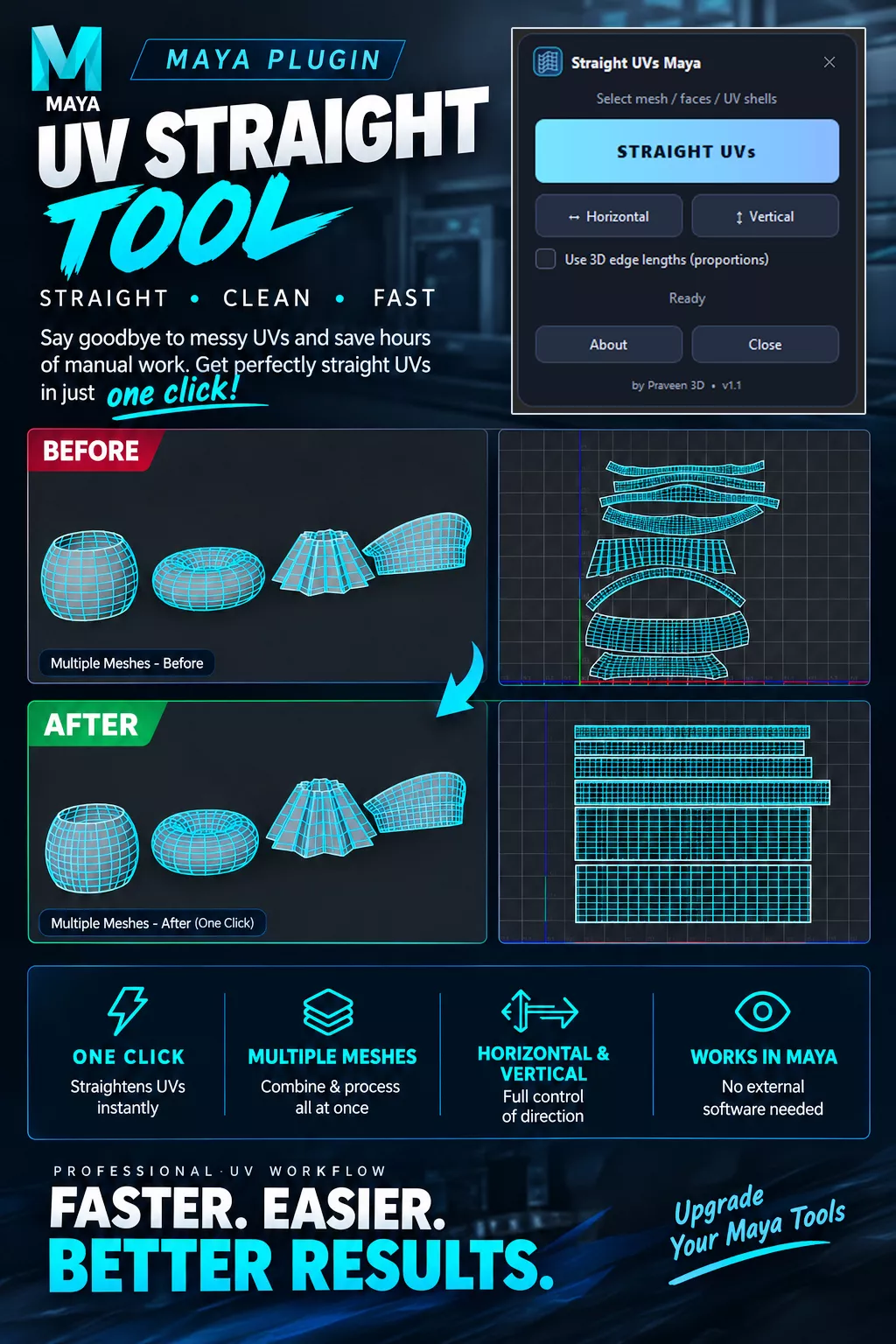
Straightening curved, bent, or uneven UV shells one by one can be time-consuming. Straight UVs Maya makes the process faster by allowing you to straighten UV shells with just one click, directly inside Autodesk Maya.
Simply select your UV shell or multiple UV shells, click STRAIGHT UVs, and let the tool straighten them into clean, organized UV layouts.
What It Does
Select a single mesh or multiple meshes and click STRAIGHT UVs to quickly straighten your UV shells.
The tool is designed to straighten UVs while keeping the shells clean, aligned, and unflipped. It can be used with simple strip-like shells as well as more complex bent, curved, or ring-shaped UV shells.
Features
One-click UV straightening for single or multiple meshes
Horizontal / Vertical options to control the straightening direction
Works with single or multiple UV shells
Clean and simple UI designed for a fast workflow
Custom Maya shelf button included
Easy drag-and-drop installation
No additional software required — everything works directly inside Maya
Who Is It For?
3D artists who want to straighten UVs faster
Artists who prefer working entirely inside Maya
Artists who don't use a separate UV application
Anyone who regularly straightens multiple UV shells and wants to save time
Requirements
Autodesk Maya 2022–2026
Python 3
Tested on Maya 2023
No additional UV software required
Installation
Simply drag and drop the installation file into Maya's viewport and follow the included setup instructions.