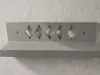
Parametric Wall Ledge | Custom-Size 3D Printable Shelf (OpenSCAD .scad + FreeCAD .fcstd) | Customizable Parametric Wall Ledge Shelf STL 3mf OpenSCAD and FreeCADDesign your own wall ledge shelf, exactly the size you need! This parametric version uses the same clean L-profile design as our ready-made Small/Medium/Large/Extra Large sizes, but every dimension is fully adjustable - perfect for tricky spaces, oversized displays, or custom mounting requirements.
Why Choose the Parametric Version?Sometimes a fixed size just isn't quite right. Maybe your wall space is unusual, you need extra depth for larger items, or you want a completely custom look. This parametric file lets you dial in the exact shelf you need, without waiting on a new listing or custom order.
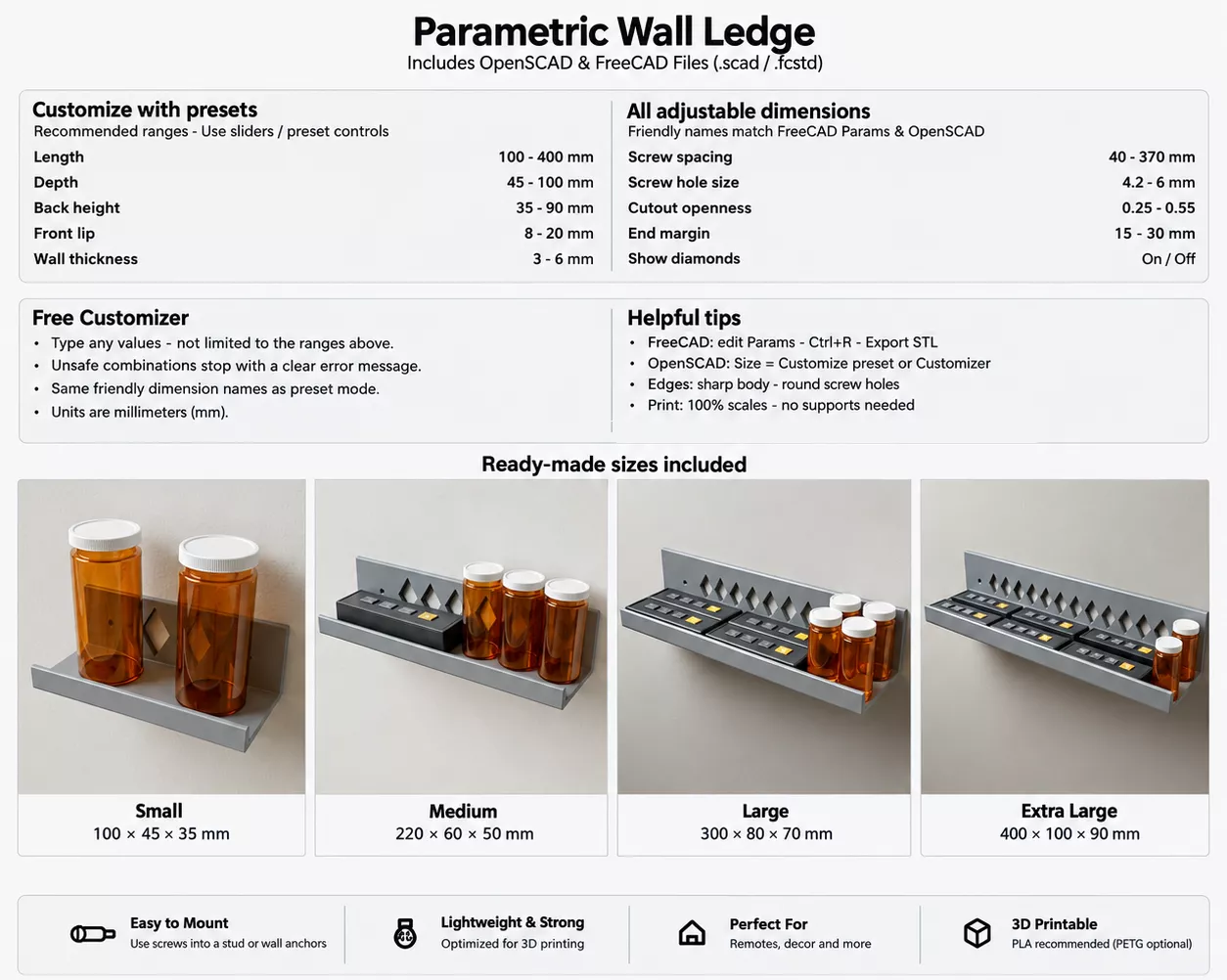
What You Can CustomizeLength
Depth
Back height
Front lip height
Wall thickness
Screw hole layout & spacing
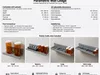
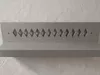
Diamond cutouts (optional on/off)
Included FilesOpenSCAD (.scad)
- Use ready-made presets (sliders) for quick adjustments
- Or switch to Free Customizer mode to enter any custom values
FreeCAD (.fcstd)
- Edit values directly in the Params spreadsheet
- Press Ctrl+R to recompute
- Export your custom STL, ready to slice
Ready Made Sizes are also includedSTL: S, M, L, XL ready-made files
STEP: S, M, L, XL ready-made files
3MF: S, M, L, XL ready-made files
Design Details
- Mounting holes are round, sized to your chosen screw layout
- Diamond cutouts are optional and easy to toggle
- Prints easily with zero supports needed
- Mount with two screws into a stud or rated wall anchor
Perfect For
- Makers who want a shelf sized to fit a specific spot
- Anyone needing dimensions beyond the standard S/M/L/XL sizes
- 3D printing hobbyists who enjoy customizing their own parts
- Anyone building a matched set of shelves at custom sizes
Instant digital download - customize, export, print.
You choose the size.
Customize Preset Ranges:
-
Length: 100 - 400 mm (Left-to-right on the wall)
-
Depth: 45 - 100 mm (Shelf stick-out)
-
Back height: 35 - 90 mm (Tall back against the wall)
-
Front lip: 8 - 20 mm (Stops items sliding off)
-
Wall thickness: 3 - 6 mm (Plastic thickness)
-
Screw spacing (pitch): 40 - 370 mm (Distance between holes)
-
Screw hole size: 4.2 - 6 mm (Hole diameter)
-
Cutout openness: 0.25 - 0.55 (Diamond pattern)
-
End margin: 15 - 30 mm (Solid area at each end)
Free Customizer:Enter any value you need. The values are not limited to the recommended preset ranges above.Unsafe or incompatible combinations stop with a clear error message.
-
Size format: Length x Depth x Back height (L x D x H)
-
Print size: X = Length, Y = Depth, Z = Back height
-
Min print area: >= Length x Depth
-
Recommended bed: >= (Length + 20) x (Depth + 20) when it fits
-
Z clearance: >= Back height
Other product variants
-
Small: 100 x 45 x 35 mm — Compact / tight spaces
-
Medium: 220 x 60 x 50 mm — Everyday remotes + bottles
-
Large: 300 x 80 x 70 mm — Longer runs / more items
-
Extra Large: 400 x 100 x 90 mm — Maximum display length
-
Multi Size Variant: All four sizes — Ready-made pack (no tools)
Print settings
-
Process: FDM (FFF)
-
Material: PLA recommended (PETG optional)
-
Nozzle: 0.4 mm
-
Scale: 100% (do not resize after export)
-
Layer height: 0.20 mm
-
Perimeters / walls: 3
-
Infill: 20% Grid
-
Supports: None
-
Brim / raft: Not needed (skirt optional)
-
Approx. print: Slice after export (depends on your size)
Use a bed that fits your exported footprint. Near Small / Medium sizes fit most 250 mm beds; near Large / Extra Large need bigger beds.
How to Customize?
OpenSCAD (wall_ledge.scad)
- Install OpenSCAD (https://openscad.org) if needed.
- Open wall_ledge.scad.
- Turn on the Customizer panel: Window -> Customizer (or View -> Customizer).
- Optional: Design -> Automatic Reload and Preview.
- Choose a size: Small / Medium / Large / Extra Large, Customize preset, or Customizer.
- Edit the group that matches that size choice.
- Press F5 (preview), then F6 (render) if needed.
- File -> Export -> Export as STL.
- Slice the STL at 100% with the print settings above.
FreeCAD (wall_ledge.FCStd)
- Install FreeCAD.
- Copy the WallLedge folder into %APPDATA%\FreeCAD\v1-1\Mod\WallLedge.
- Restart FreeCAD and open wall_ledge.FCStd.
- Click Params and edit column B only (Length, Depth, Back height, Front lip, Wall thickness, Screw spacing, Screw hole size, Cutout openness, End margin, Show diamonds).
- Press Ctrl+R to rebuild.
- Select the Wall Ledge part, then File -> Export -> STL.
- Slice the STL at 100% with the print settings above.
Slicer
- Import the STL at 100% scale (do not resize).
- Supports off. Use the print settings above.
- Confirm the bed fits Length x Depth, and Z clears Back height.
MountingTwo screws into a stud or rated wall anchors. Hole size and pitch come from your parameters.
Notes
- Do not scale the exported STL in the slicer.
- Load-bearing depends on wall fixings, wall thickness, and print quality.
- Files included: .scad and .fcstd plus ready made sizes.
#3DPrintSTL #Parametric #WallLedge #OpenSCAD #FreeCAD #CustomShelf #HomeDecor #3DPrinting #DIY #FloatingShelf