Building a convincing stylized environment is rarely about finding one impressive shader. The harder part is getting stone, clay, metal, wood, ground, cloth, water and focal details to feel as though they belong to the same world.
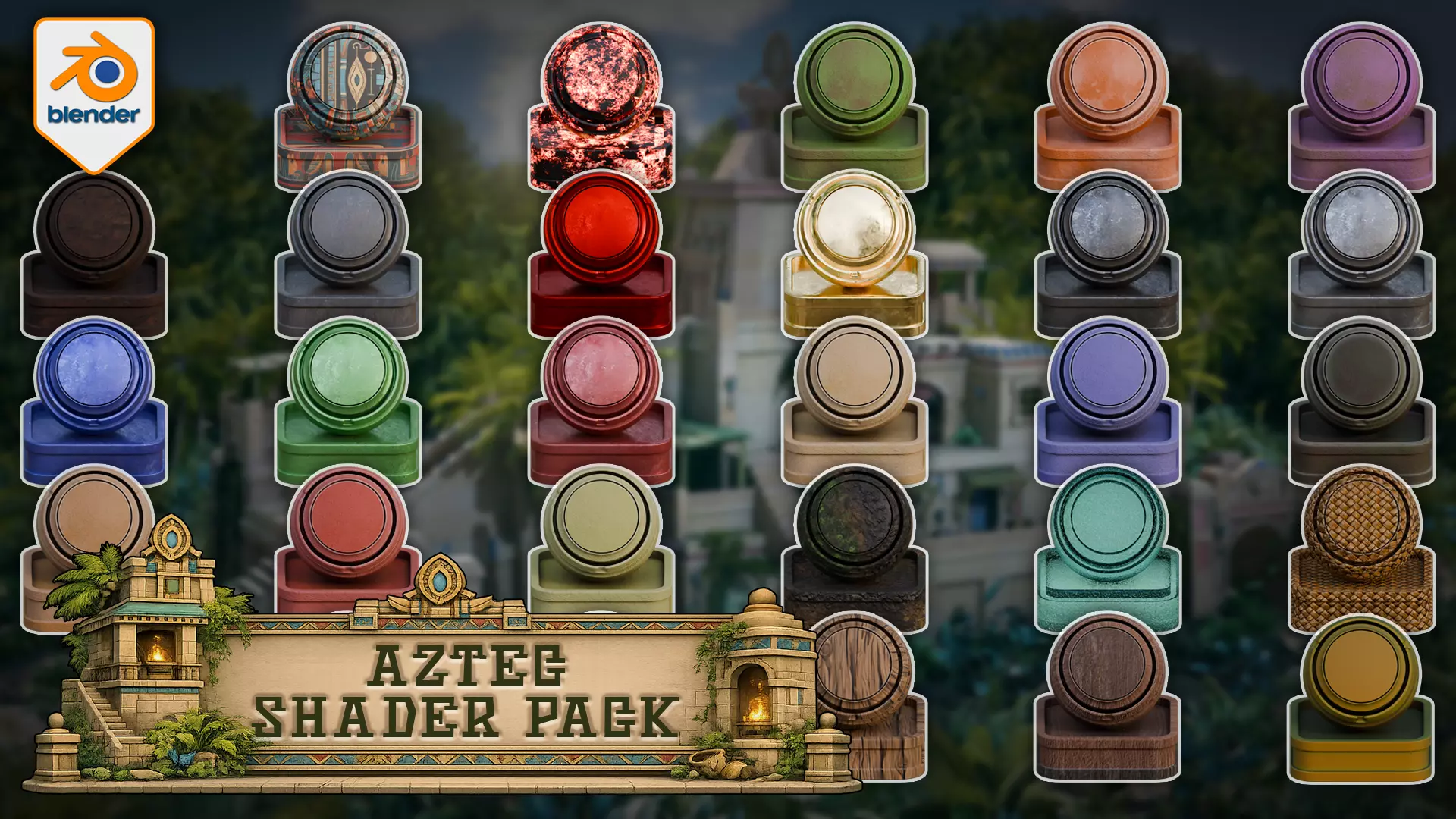
The Aztec Shader Pack for Blender Cycles gives you one connected library of 28 stylized materials for surfacing existing environment geometry. It is designed for temple, ruin, jungle, fantasy and Mesoamerican-inspired scene work where material cohesion matters more than collecting disconnected swatches.
Every material has a same-named preview/application object inside the supplied Blender file, so you can compare the range before moving chosen surfaces into your own project. All 28 materials completed Cycles render proofs in Blender 5.0.1 and 5.1.2.
What is included
- 28 Blender materials across 15 surface families
- 28 same-named preview/application objects
- 26 hybrid materials and 2 procedural materials
- 45 packed material texture images: 42 at 2048 × 2048 and 3 at 1024 × 1024
- Stone, clay, metal, wood, terrain, dirt, cloth, weave, carpet, water, bamboo, charcoal and gemstone coverage
- One complete .blend material-library file
- Included loose texture files used by the material setups
- HTML and PDF setup instructions
- A material reference sheet, README and licence summary
Build a clearer surface hierarchy
The library is arranged to help you make practical scene-surfacing decisions. Use quieter stone, clay or wood as the foundation; Dirt or Terrain as the transition between architecture and ground; and gold, coloured metal, gemstone, cloth or water as controlled accents.
That gives you a useful visual grammar before you start polishing individual surfaces. The pack saves the setup work of building every material family from zero while leaving foundation, transition, accent and focal hierarchy under your control.
Materials in the library
Bamboo, Carpet, Charcoal, Clay, Clay Green, Clay Purple, Dirt, Fabric Cloth Red, Gemstone Red, Gold, Iron Dark, Metal, Metal Blue, Metal Green, Metal Red, Stone, Stone Blue, Stone Dark, Stone Mid, Stone Red, Stone Yellow, Terrain, Water, Weave, Wood Blue, Wood Dark, Wood Light and Wood Prop.
Blender workflow
Open the supplied Blender file, then copy and paste a supplied preview object or use Blender's Append workflow to bring the material into another project. The preview objects provide known reference setups and make it easier to inspect a material before applying it elsewhere.
The 26 hybrid materials need suitable UVs on buyer meshes. Terrain reads vertex-colour data. Bevel- and displacement-related results can change with object scale, topology, mesh density and settings, so moving a material onto very different geometry may require adjustment.
Compatibility
- Software: Blender
- Render engine: Cycles only
- Render-proven versions: Blender 5.0.1 and Blender 5.1.2
- Product type: Blender material and shader pack
- Main format: .blend
- Included texture formats: .png and .exr
- Asset Browser: not preconfigured
Important notes
- This is a material and shader pack, not a course.
- This is not a finished temple, ruin, jungle or environment scene.
- Models and finished environment geometry are not included beyond the supplied material preview/application objects.
- This is not an addon, plugin, Asset Browser library or 3D-print product.
- EEVEE, Blender 4.5, Blender 5.2 and game-engine compatibility are not included in the supported compatibility claim.
- The materials are not sold as fully procedural, seamless, game-ready or guaranteed to look identical on arbitrary geometry.
- Performance has not been benchmarked.
If you already have environment geometry and want a connected Cycles surface direction for architecture, props, terrain and focal details, this gives you a practical material library to build from.
Happy modelling everyone!Neil - 3D Tudor