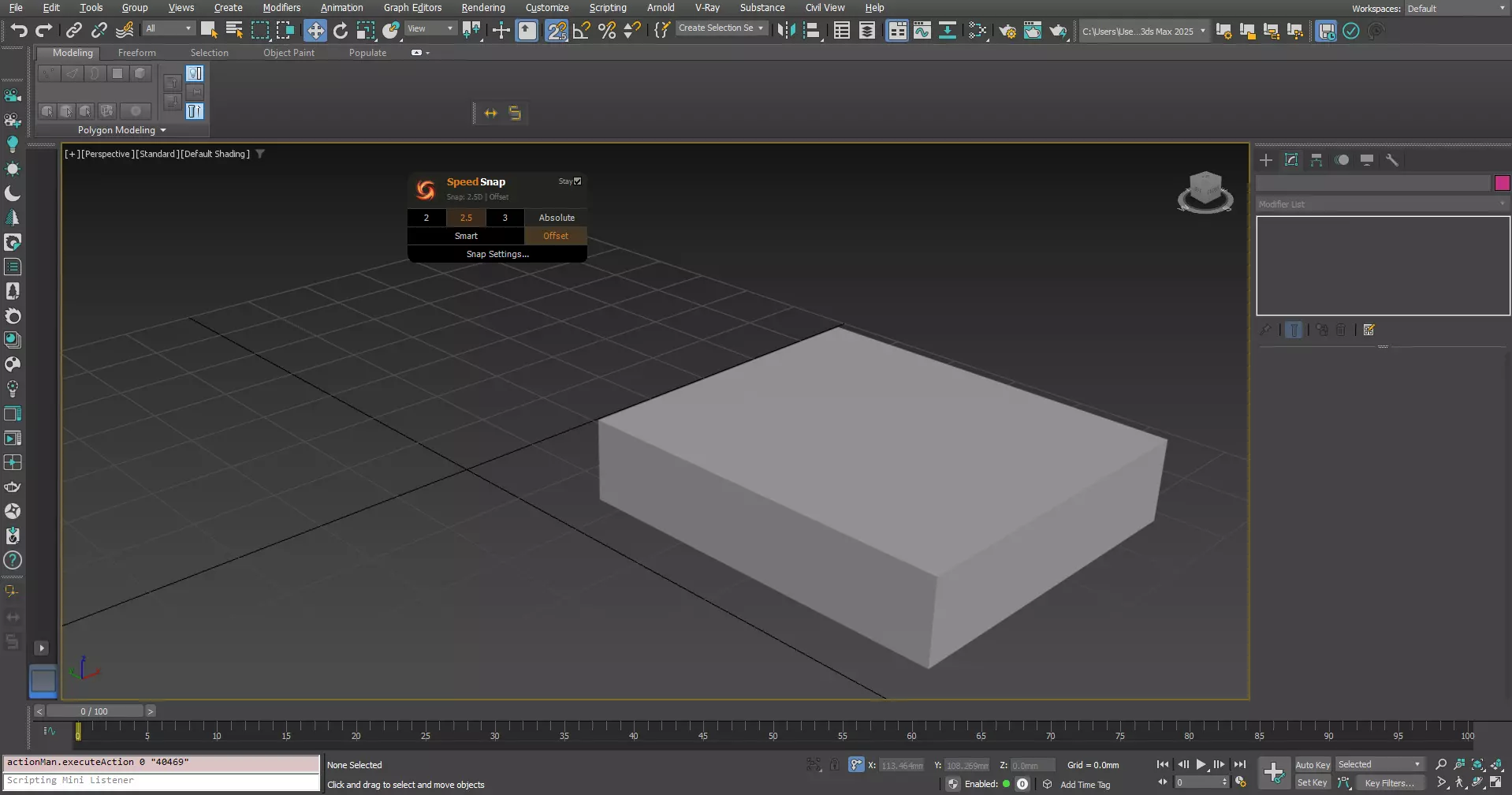
SpeedSnap puts full snap control right under your cursor — no more hunting through toolbars or digging into dialogs every time you need to switch modes.
SpeedSnap is actually two macros working together:
- SpeedSnap — opens a popup menu exactly where your mouse is, giving you full control: 2D/2.5D/3D snap, Smart Mode, Absolute/Offset toggle, Stay mode, and quick access to snap settings.
- SpeedSnapCycle — a dedicated hotkey that instantly cycles between 2.5D and 3D with no menu at all, for when you already know what you want.
Key features:
- Instant popup at your cursor — no traveling across the screen
- Drag the menu anywhere; it stays put until closed
- One-shot by default, or check Stay to keep it open across multiple changes
- Smart Mode — automatically switches snap based on your active viewport (Orthographic to 2.5D, Perspective/Camera to 3D)
- Absolute/Offset toggle built directly into the menu (not buried in the status bar)
- Direct shortcut to full Snap Settings
Ideal for: Architectural Visualization, Hard Surface Modeling, CAD Cleanup, Product Modeling — any workflow where snap stays on constantly.
Compatibility: 3ds Max 2020-2026, Windows 10/11. No network access, no external dependencies.