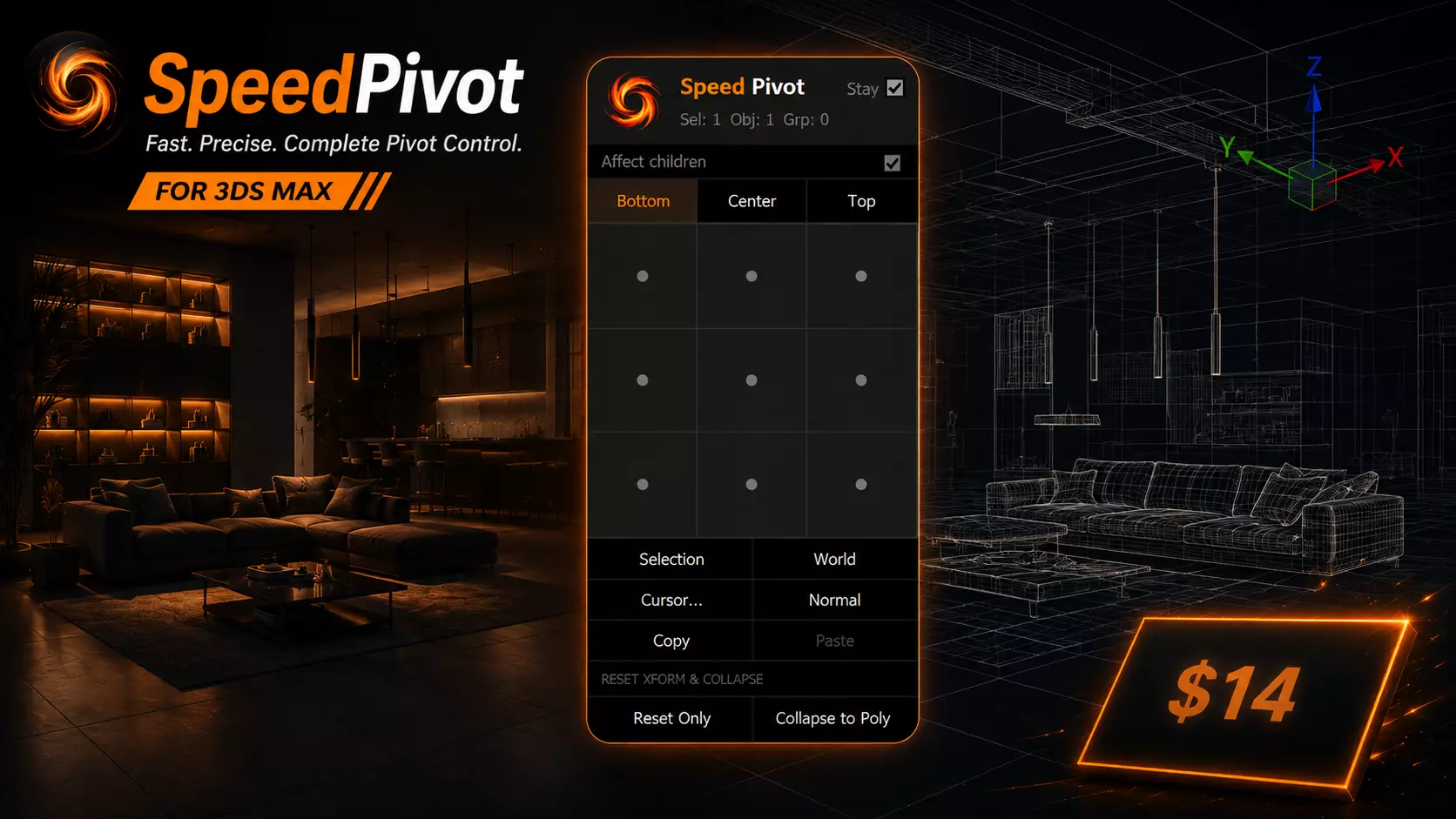
SpeedPivot puts full pivot control right under your cursor — no more digging through the Hierarchy panel every time you need to reposition a pivot.
Press one hotkey and a popup opens exactly where your mouse is: a 3x3 grid + height selector covers 27 pivot positions in one or two clicks, plus dedicated buttons for Selection center, World origin, Cursor placement, Normal alignment, Copy/Paste, and Reset/Collapse.
Affect Children is the standout feature — apply a pivot change to an entire group's members at once, not just the group head. In architectural scenes, that's the difference between doing it once and doing it a hundred times by hand.
Key features:
- Instant popup at your cursor
- 3x3 pivot grid with live hover preview + Bottom/Center/Top height
- Affect Children — cascade pivot changes through groups
- Normal — align pivot to any clicked face
- Copy/Paste pivot position between objects
- Reset Only / Collapse to Poly
- Stay mode for working through multiple objects in a row
Ideal for: Architectural Visualization, Hard Surface Modeling, Asset Preparation for Game Engines/Rigging — any workflow where pivot placement happens constantly.
Compatibility: 3ds Max 2020-2026, Windows 10/11. No network access, no external dependencies.