QM_AreaCalculator
a script for architects
This script helps you to estimate and calculate the area and price.
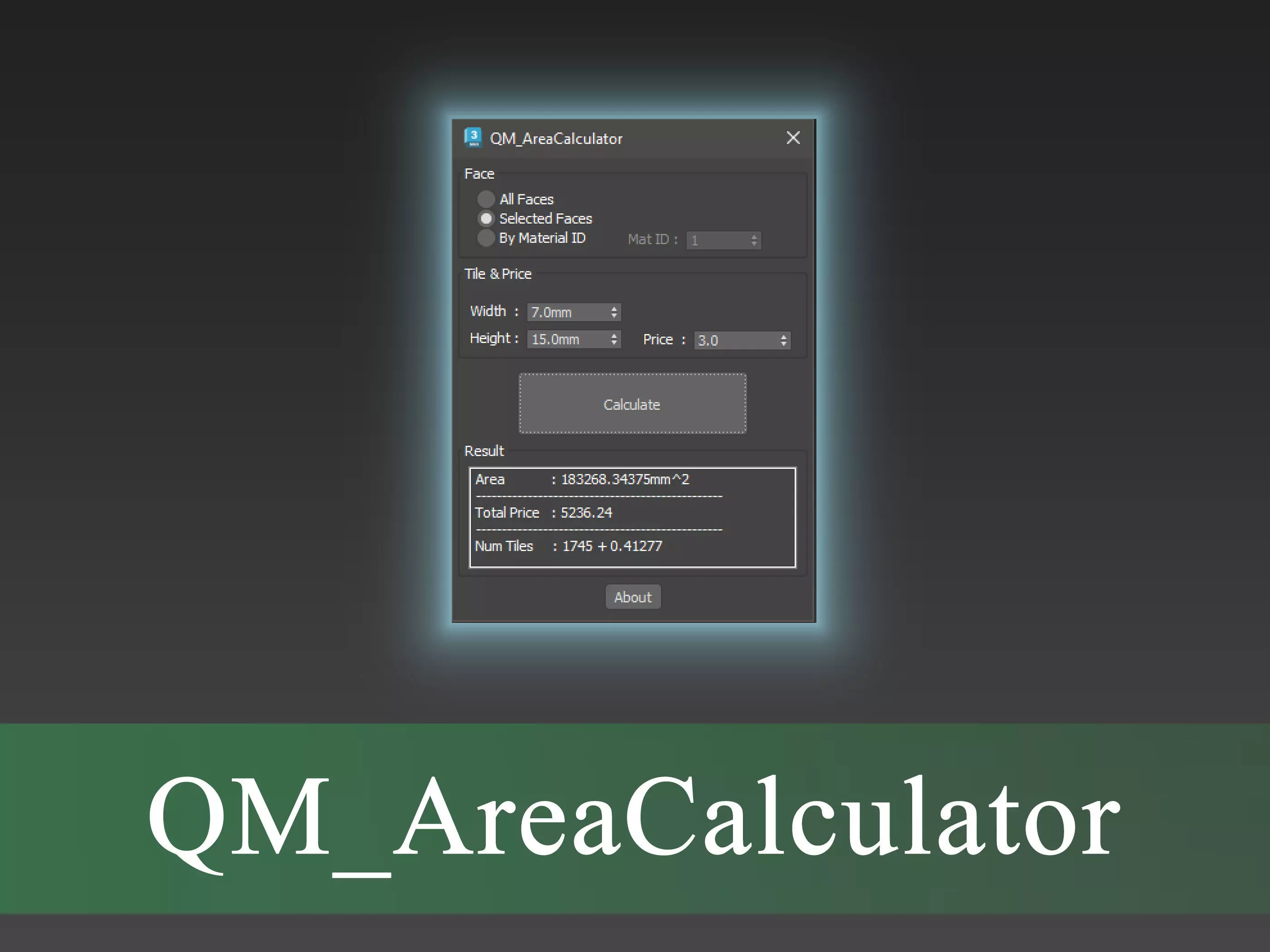
The QM_AreaCalculator calculates the price and area through the sum of the areas of the mesh triangles. In this way, you can select several objects and specify the faces you want either with the All Faces option or by selecting or with a specific material ID for the script and get the area . Also you can specify the dimensions and price of a unit of the desired material and get the total price. For example, a flooring measuring 50 x 10 cm and its price.
Note:The script only calculates and sums the area of the triangles independently and does not do any calculation about the overlap of the faces or the shell of the walls or the distance between two tiles, for example, bricks, etc. So it only calculates the numerical area and simple division of the area of the faces in the price according to the dimensions of the desired tile.
- The units of measurement are in terms of the current world unit set in 3DS Max.
How to install
Copy the script file to one of the following directories:
C:\Program Files\Autodesk\3ds max 20XX\scripts\Startup
C:\Users\YourUserName\AppData\Local\Autodesk\3dsMax\20XX - XXbit\ENU\scripts\startup
Restart 3DsMax to automatically execute script or drag script to viewport to fast execute script. This encrypted script automatically generates and executes a other macro script, after which an Action named QM_AreaCalculator appears in the QM Category in the Customized User Interface. And you can use it like other Actions in Customized User Interface for Menus or Toolbars or HotKeys or ...
How the script works:
- Run the script to show QM_AreaCalculator dialog.
- Select the objects you want. (only geometric objects are processed)
- Specify the desired faces. Through the option All Faces or from the selected faces or with a specific material ID.
- If you wish, you can set the tiling parameters and enter the dimensions and price of the desired material. (This item is only used to calculate the price and number of items and it is not needed to calculate the area)
- View the result by pressing the calculate button or changing one of the rollout parameters.-enjoy.
Notes:
If you change the selection or change the world unit scale in 3DS Max, press the calculation button to update again.
The file is in .mse format and encrypted .
If you find any problem, please let us know.
Thank you for choosing this script.