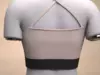
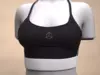

3D Features
The model has a skeleton or bone structure, making it ready for posing or animation.
PBR
Uses Physically Based Rendering materials, which give the model realistic lighting and surface properties.
Textures
The model includes image files (textures) that add color, patterns, or detail to its surfaces.
Materials
The model has material settings that define how surfaces look (color, shine, transparency, etc.).
UV Mapping
The model's surfaces are mapped to a 2D image, allowing textures to display correctly.
3D printing
Indicates whether the designer marked this model as suitable for 3D printing.
Model is not 3D printable
The designer indicates this model is intended for digital use only (rendering, animation, or AR/VR) and not for 3D printing.
Geometry /
Polygon mesh
A model built from polygons (triangles or quads) connected in a mesh.
35662 polygons
The total number of polygons (flat shapes) that make up the 3D model.
18062 vertices
The number of points (corners) that define the shape of the model's polygons.
Unwrapped UVs
Non-overlapping
Publish date
2026-03-31
Model ID
#6944283