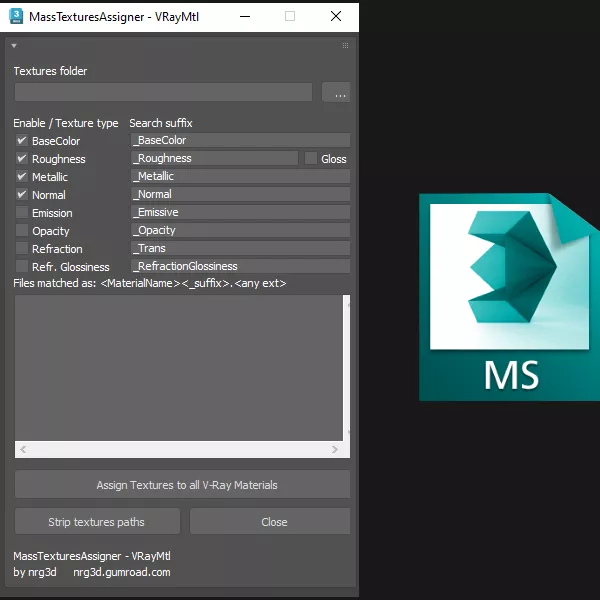
The scripts assigns PBR textures to existing V-Ray materials, based on filename matching.
When found, the texture is loaded and wired into the matching VRayMtl slot (BaseColor/Diffuse, Roughness/Glossiness, Metallic, Emission, Normal, Opacity, Refraction, Refraction Glossiness)
For every existing VRayMtl material in the scene, it looks inside a 'textures' or 'maps' folder next to the current .max file for files named:
.
The script assigns appropriate gamma setting to every texture type:
- BaseColor / Emission / Opacity -> Automatic (recommended)
- Roughness / Metallic / Normal / Refraction / Refraction Glossiness -> Linear (gamma forced to 1.0)
The script runs on 3ds max 2016-2024.If your scene is using the newer OCIO color management mode (3ds max 2025+), switch it back to classic Gamma Workflow under Rendering > Color Management > Color Management Mode before running this script, otherwise textures may be color-interpreted incorrectly (washed out / shifted shading in the viewport and render).