Split 3D Models Into Parts
Turn a single solid mesh into separate, editable parts with AI. The CGTrader AI segmentation tool detects the logical parts of your 3D model and splits it automatically, so you can print each piece on its own, assign different materials or edit parts separately.
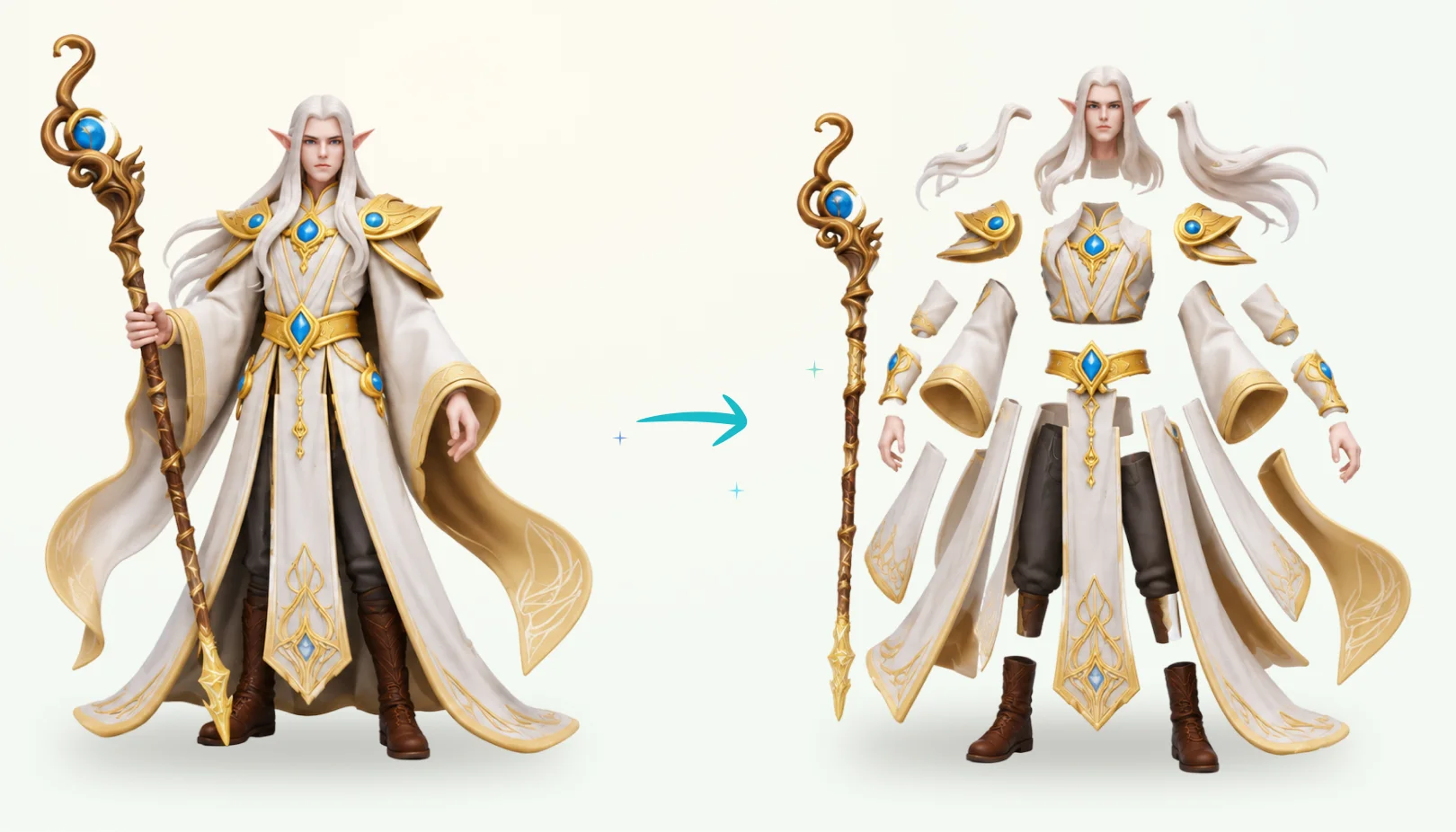
How AI 3D Model Segmentation Works
AI analyzes the shape of your model and finds where one part ends and another begins, such as the head, arms and body of a character or the wheels and body of a car. Each part becomes a separate piece of the model.
After segmentation you can review the part list and use the exploded view to see every piece on its own. This makes multi-part and multi-color 3D printing much easier.
- Generate a 3D model, upload your own or pick one from your library.
- Open the Segment tab in the 3D viewer sidebar.
- Click Start Segmenting and let AI split the model into parts.
- Review the part list and exploded view, then download your model.
Frequently Asked Questions
AI 3D model segmentation automatically splits a 3D model into separate parts based on its shape, without manual cutting in a 3D editor.