AI Retopology & Remeshing Tool
Dense, messy meshes slow down every step of a 3D pipeline. The CGTrader AI retopology tool rebuilds the topology of any 3D model automatically, so you get a clean, lightweight mesh without hours of manual retopology. Choose a triangle or quad mesh, set the polygon count you need and export a model that is ready for games, real-time apps, AR and 3D printing.
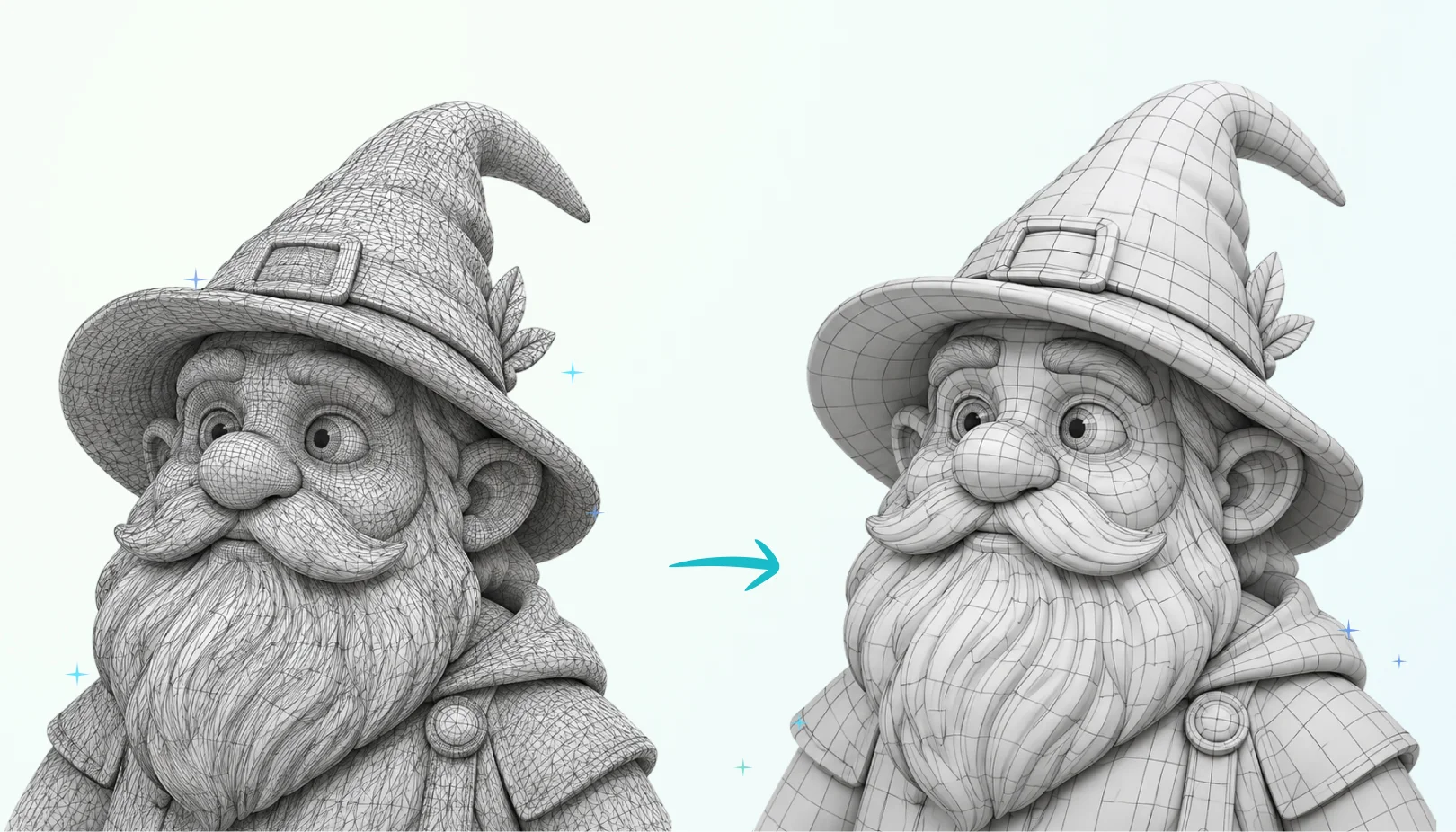
How AI Retopology Works
AI retopology creates a new, optimized surface over the shape of your model. It keeps the silhouette and details that matter while removing the extra polygons that make a mesh heavy and hard to edit.
In CGTrader AI you control the result with a few settings: the polygon type (triangles or quads) and the target polycount. Smart low poly mode picks an optimized low, medium or high polygon budget for you.
- Generate a 3D model, upload your own or pick one from your library.
- Open the Remesh tab in the 3D viewer sidebar.
- Choose triangles or quads and set the polycount, or turn on Smart low poly.
- Click Remesh, compare the result and download your optimized model.
Frequently Asked Questions
Retopology is the process of rebuilding a 3D model's mesh with a cleaner and more efficient polygon layout. AI retopology does this automatically, so you do not have to trace a new mesh by hand.