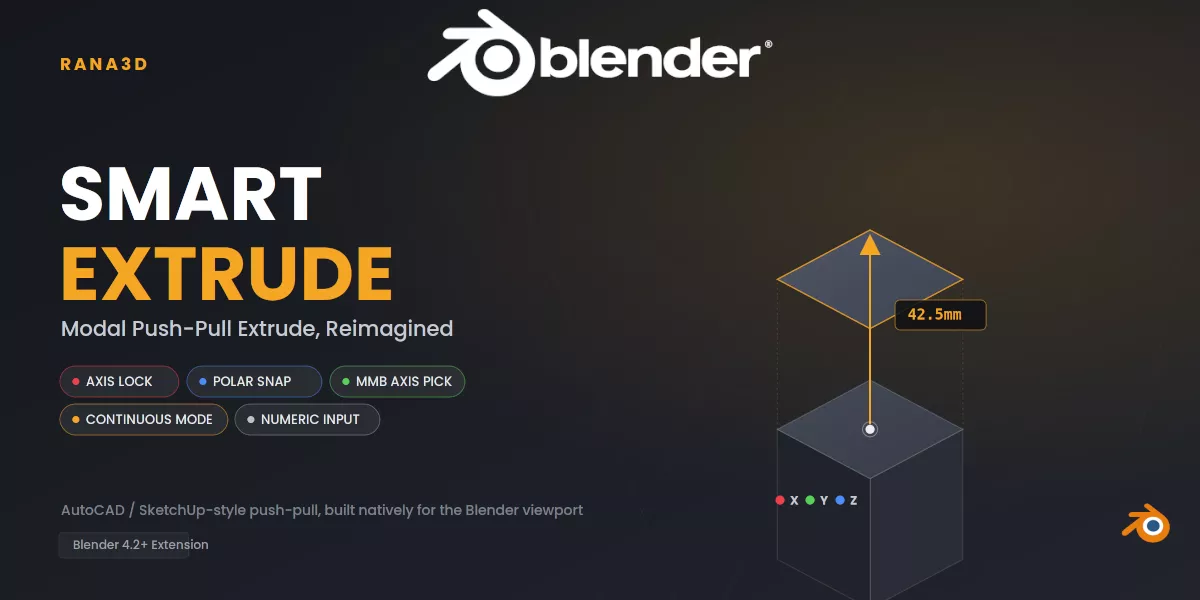
A modal Extrude tool for Blender with AutoCAD/SketchUp-stylepolar snapping, axis locking, and live on-screen guides — extrude towardwherever your mouse points, no minus sign ever required.
Short Description-Smart Extrude replaces the guesswork of manual extrude + move with asingle modal tool. Select any vertices, edges, or faces, move your mousein the direction you want, and either eyeball it or type an exact number —Smart Extrude always extrudes toward the cursor. Polar angle snapping,X/Y/Z axis locking, MMB-drag axis picking (just like Blender's nativetransform tools), normal locking, 90° ortho lock, and a Continuous ExtrudeMode for chaining multiple extrudes without restarting the tool make thisa fast, precise, CAD-style workflow inside Blender's mesh editing.
Core Extrude
- Works on any selection — vertices, edges, faces, or a mix of all three
- Type a positive number and it extrudes toward wherever the mousecurrently points — no minus sign, no guessing direction
Precision & Snapping
- AutoCAD/SketchUp-style polar angle snapping (customizable step angle)
- X / Y / Z axis locking — press once for global, again for local axis,again to release back to free movement
- Middle-mouse-button axis picking — hold MMB to instantly lock thenearest axis, exactly like Blender's own Move/Rotate tools
- Normal lock (N) — lock directly to the selection's face/vertex normal
- 90° ortho lock (P) — force the movement onto a 90° grid
- Direction lock (Shift) — freeze the current direction and adjustdistance only
- Global/Local reference frame toggle (Alt)
- Axis magnet — automatically snaps onto a nearby global axis or normalwithin a configurable angle threshold
- Unit-aware numeric input and display — typed numbers and on-screendistance labels respect your Scene Unit Settings (Metric or Imperial:mm, cm, m, km, in, ft, yd, and more)
On-Screen Visual Guides
- Colored axis-aligned guide line — turns Blender's native red/green/bluegizmo colors when aligned to a global axis, brand-amber otherwise
- Full-screen dashed polar tracking line (AutoCAD-style)
- Pivot and tip endpoint markers
- Native-style snap indicator — shows exactly where Blender's ownVertex/Edge/Face or Increment/Grid snapping is latching on, sinceBlender's built-in snap crosshair doesn't render during a custom modaltool
- Live distance label next to the cursor, showing current status(locked / free / snap angle)
Continuous Workflow
- Continuous Extrude Mode (C) — chain multiple extrudes with mouse-moveand left-click, without leaving the tool; every Smart Extrude controlstays active throughout
- Type an exact distance at any point, editable with Backspace
Reliability
- Pushes its own undo checkpoint before editing, so Esc / right-clickcleanly reverts everything
- Built-in safety checks prevent crashes or a stuck overlay if the mesh,area, or edit mode changes unexpectedly mid-operation
- Optional automatic face-orientation fix (recalculate normals) afterconfirming an extrude
Preferences
- Adjustable snap angle, axis magnet angle, and grid increment (unit-aware)
- Toggle for automatic normal fixing
- Toggle for the in-viewport keybinding help panel
- Built-in keymap viewer/editor, plus a one-click Restore DefaultShortcut button to recover Alt+E if it's ever removed from your keymap
- UI Integration
Icon/popover in the 3D Viewport header for quick access and settingsDedicated Smart Extrude tab in the N-panel sidebar listing everykeyboard shortcutDefault shortcut: Alt+E (fully rebindable)