Abyssal Dawn for Genesis 9
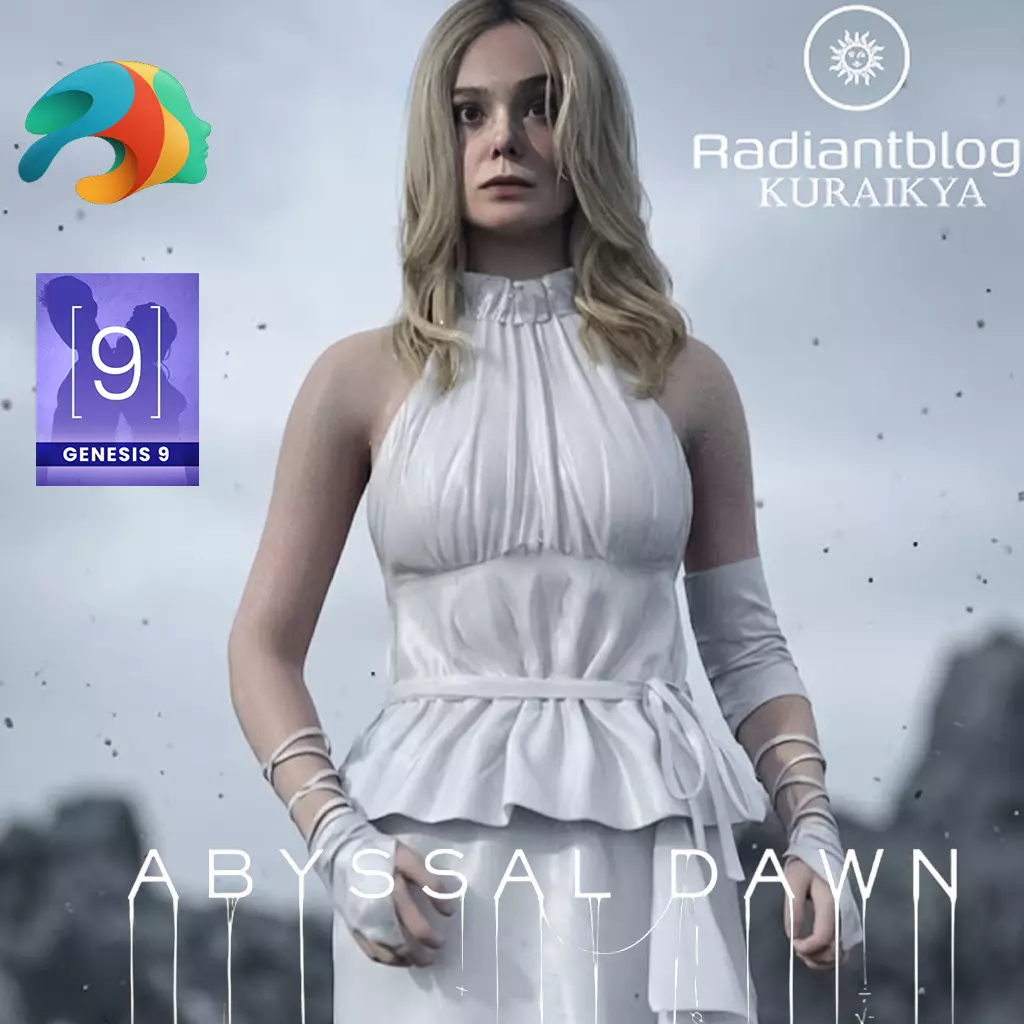
Product Overview Abyssal Dawn is a highly detailed, custom-commissioned character for Genesis 9. Created with a strong focus on remaining strictly true to her original inspiration, this character comes with her complete outfit, hair, and distinct material presets. Please review the important notes below regarding her custom rigging and tailored outfit.
Important Notes & Limitations
Custom Full Morph: This character utilizes a unified Genesis 9 full body and head morph. There is no separation between the head and body morphs.
Custom Default Pose: To stay completely accurate to the customer's original request and the source material, this character is not strictly modeled in a default A-Pose. You will likely need to adjust poses manually after applying standard Genesis 9 pose presets.
Exclusive Outfit Fit: The included clothing is exclusively tailored to this specific character's unique shape to maintain its authentic look. Using this outfit on other Genesis 9 morphs may cause distortion, clipping, or unpredictable results.
Rigging & Bone Troubleshooting: If you experience any issues with the bones after applying poses or morphs, you can easily correct this in Daz Studio:
Go to your Tool Settings pane and select the Joint Editor.
Right-click in the viewport.
Navigate to Edit > Adjust Rig to Shape.
Make sure Adjust Center Points, Adjust End Points, and Adjust Orientation are checked, and hit Accept.
What's Included:
Character & Shaping:
Abyssal Dawn Character Preset
Abyssal Dawn with / without Clothes Presets
Full Shaping Preset
Custom Eyes & Mouth Presets
Materials:
Default Clean Material Preset
Dirty Material Preset
Hair & Body Hair:
Abyssal Dawn Hair
Eyebrows
Arm Bodyhair
Legs Bodyhair
Upper Bodyhair
Body Hair Material Preset
Clothing:
!!!Load All Outfit!!! Preset
Abyssal Dawn Dress (dForce Ready)
Abyssal Dawn Pants (dForce Ready)
Arm Bindings
Elbow Bindings
How to Install (Extracting ZIP Files):
Download the ZIP file containing the product to your computer.
Windows: Right-click the downloaded ZIP file and select Extract All.... Choose a destination folder and click Extract. Mac: Double-click the ZIP file to automatically extract its contents into a new folder.
Open the extracted folder. You will see standard Daz Studio folders (e.g., data, People, Runtime).
Copy these folders and paste them directly into your main Daz 3D Library directory (typically located at Documents\DAZ 3D\Studio\My Library). Merge folders if prompted.
Open Daz Studio and refresh your library. You can find the files under: Genesis 9 > Characters > KuraiKya > Abyssal Dawn.