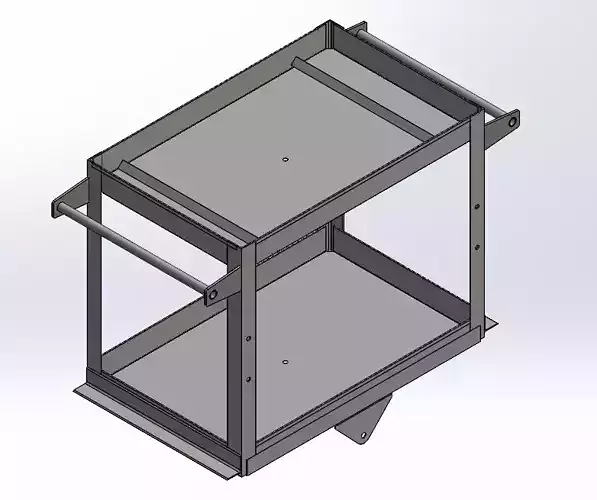
Designing a 3D work table in SolidWorks involves several considerations to ensure it meets functional requirements and is manufacturable. Here are some key factors to consider:
- Purpose and RequirementsUse Case: Determine the primary use of the work table (e.g., assembly, machining, general work).Load Capacity: Estimate the maximum weight the table needs to support.Dimensions: Define the length, width, and height based on available space and user comfort.Features: Consider features like adjustable height, built-in storage, or integrated workstations.
- Material SelectionStrength and Durability: Choose materials that can handle the expected loads and wear. Common materials include steel for strength, aluminum for lightweight properties, or wood for versatility.Cost: Balance between material cost and performance.Manufacturability: Consider how the materials will be processed and joined (welding, bolting, etc.).
- Structural DesignFrame: Design a robust frame that provides stability and can support the tabletop and additional components.Legs: Ensure the legs are designed to handle the load and provide stability. Consider features like adjustable feet for uneven floors.Tabletop: Ensure it’s strong enough for the intended use. For instance, a workbench might require a thicker, reinforced tabletop.
- ErgonomicsHeight: Design the table height to be comfortable for users. Adjustable height can be beneficial for various tasks.Accessibility: Ensure that the table’s design allows easy access to all parts, especially if it includes built-in storage or tools.
- Modularity and FlexibilityCustomizability: Incorporate features that allow for future modifications or additions, such as modular components or adjustable fixtures.Expandability: Design the table so that additional features or accessories can be added later.
- Assembly and ManufacturingJoinery: Decide on methods for joining parts (welding, bolts, screws) and ensure they are easy to assemble and disassemble if needed.Tolerance and Fit: Ensure parts fit together correctly with appropriate tolerances.Manufacturing Processes: Account for the processes involved in making each part, such as cutting, machining, and finishing.
- Safety ConsiderationsStability: Ensure the table is stable and won’t tip over easily, especially under load.Sharp Edges: Avoid sharp edges and corners that could cause injury.Load Distribution: Design the structure to distribute loads evenly to avoid excessive stress on any single part.
- Aesthetics and FinishAppearance: Design the table to match its intended environment, whether it’s a professional workshop or a home garage.Surface Finish: Consider coatings or finishes that protect the table from corrosion and wear, and are easy to clean.
- Software Considerations in SolidWorksAssemblies: Use SolidWorks assemblies to test the fit and function of the table’s components.Simulation: Utilize SolidWorks Simulation to analyze stress, strain, and deformation to ensure the design can handle expected loads.Drafting: Generate detailed drawings and parts lists to assist in manufacturing and assembly.
- Compliance and StandardsRegulations: Ensure the design meets any relevant standards or regulations for safety and quality.Industry Standards: Follow best practices and industry standards for similar types of work tables.Design Workflow in SolidWorksSketching: Start with 2D sketches for base profiles and critical features.Extrusions and Cutouts: Create 3D models using extrusions, cutouts, and other features.Assembly: Assemble individual parts to check fit and functionality.Simulation: Run simulations to validate strength and performance.Drawings: Generate detailed engineering drawings for manufacturing.By addressing these considerations, you’ll be able to create a functional and efficient 3D work table design in SolidWorks.