System requirements: 3ds max 2014 or higher, corona render.Note: This version of script only works with 3ds max and corona render (Only coronaMtl supported).
Script Description:
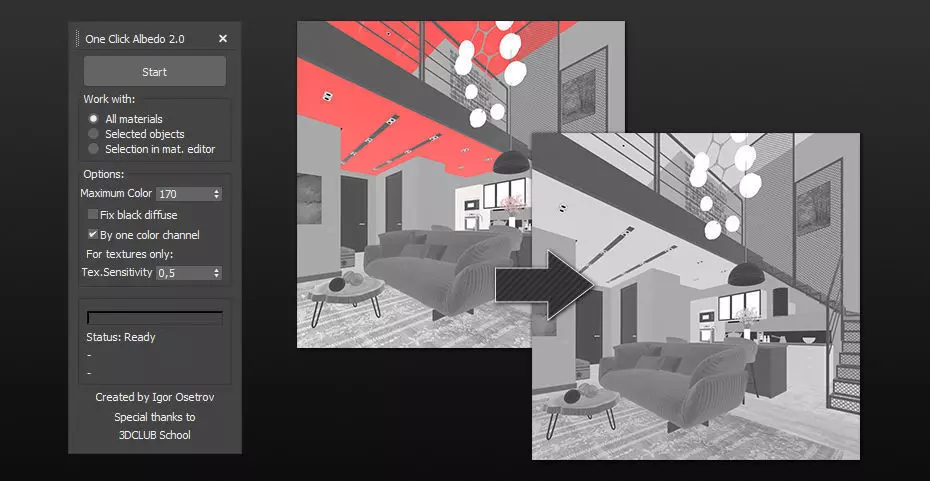
This script is made to automatically adjust the albedo of materials in the scene. Too high albedo may slow rendering process down and make the materials look unrealistic. Especially when an object with a high albedo occupies the most part of frame area. Corona Render developers recommend to keep albedo of your materials under RGB 180 (For diffuse color or texture).
The script “One click albedo” checks all Corona Mtl materials in the scene and automatically reduces the albedo of materials that are too bright.
This one will be especially useful when you use other people's models and don’t know how the author set up the materials.How it works:
The script analyzes the diffuse texture and diffuses color of the material. If the material is too bright, then its diffuse level will be reduced by the required value. The new diffuse level value will be calculated individually for each material.
What is Albedo?
Basically, albedo is the overall brightness of a material.
Key features:
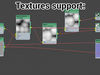
- Textures support. The script will work with any texture types that are supported by the Corona render. Script also supports textures with sub textures (any number and depth of nesting).
- The script takes into account the existing diffuse level and the value of diffuse color and texture mixing.
You can choose materials for processing:
- All the materials.
- Materials at selected objects only.
- Only selected materials in the material editor (slate or compact).
How to see the albedo of materials:
You can use the render element CShading_Albedo. It will highlight those areas of your scene where the albedo is too high with red or pink.
To add the render element CShading_Albedo open the Render Setting window (F10 hotkey). In the Render tab, click Add. Select CShading_Albedo. After that, in the Corona VFB window, it will be possible to select the Cshading_Albedo element in the drop down list.