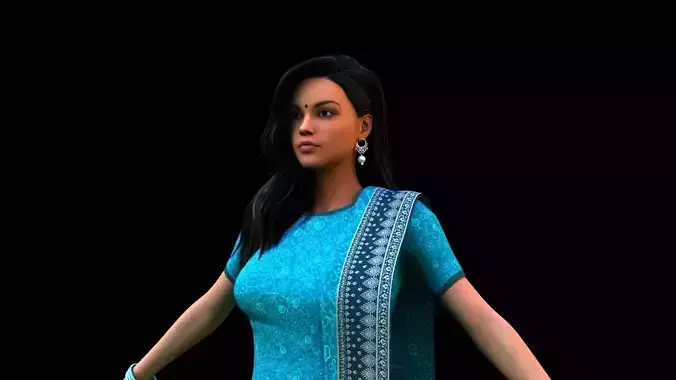
Majoran for Genesis 9Presenting Majoran, a high-fidelity character creation designed exclusively for the Genesis 9 platform. This product features a comprehensive full-body morph, ensuring a seamless transition between the head and body without any visible seams or technical separation. Crafted for artists who require a precise and cohesive aesthetic, Majoran brings a regal and sophisticated presence to any 3D environment.
The centerpiece of this set is the dForce Majoran Dress, meticulously rigged to take full advantage of Daz Studio’s physics engine. The fabric is optimized for realistic draping and movement, allowing it to respond naturally to gravity, wind, and complex posing during simulations. Complementing the dress is a full wardrobe and grooming suite, including custom-fit pants, boots, a ring, and a dedicated hair set with matching eyebrows and eyelashes.
Technical SpecificationsGenesis 9 Full Morph: A unified shape preset that applies the character's distinct features to the entire figure simultaneously.
dForce Dynamic Cloth: The Majoran Dress is fully compatible with dForce for high-end simulation results.
Majoran Material Preset: A specialized material load specifically tuned for Majoran’s skin textures.
Majoran Eyes: Custom eye settings designed to match the character’s unique look.
Shaping Preset: A dedicated shaping file to instantly apply the Majoran silhouette to the Genesis 9 base.
Full Grooming Suite: Includes Majoran Hair, Majoran Eyebrows, and Majoran Eyelashes for a complete, out-of-the-box render.
Asset OrganizationThe files are organized into a logical folder structure for a streamlined workflow:
Character Preset: Contains the primary Shaping Preset, the Material Preset for the skin, and the Majoran Eyes.
Clothing: Houses the dForce Dress, Boots, Pants, and the Majoran Ring.
Hair: Includes the specific hair model and the anatomical grooming files (eyebrows/eyelashes).
Ready-to-Render: Use the Majoran with Clothes or !!!Load All Outfit!!! presets to load the character and all accessories in a single click.
Installation and Extraction GuideTo incorporate Majoran into your Daz Studio library, follow these steps:
Download the ZIP archive to your local drive.
Extract the files: Right-click the ZIP folder and select Extract All.... If you use software like 7-Zip or WinRAR, choose Extract to [Folder Name].
Locate your Library: Open your main Daz 3D Content folder (typically located at Documents/My DAZ 3D Library).
Merge Folders: Copy the extracted folders (data, People, and Runtime) and paste them into your My DAZ 3D Library folder. When prompted, select Yes to merge the folders. This ensures all geometries, textures, and presets are placed in the correct directories for the software to recognize them.