DESCRIPTION

REQUIREMENTS: Windows 10, 64 bits. PLEASE UNDERSTAND THAT ALTHOUGH THIS APP MAKES EASIER TO MAKE BACKUPS, YOU SHOULD BE SKILLED MANAGING YOUR USER DIRECTORIES AND DATA AND FOLLOW THE TUTORIAL INCLUDED

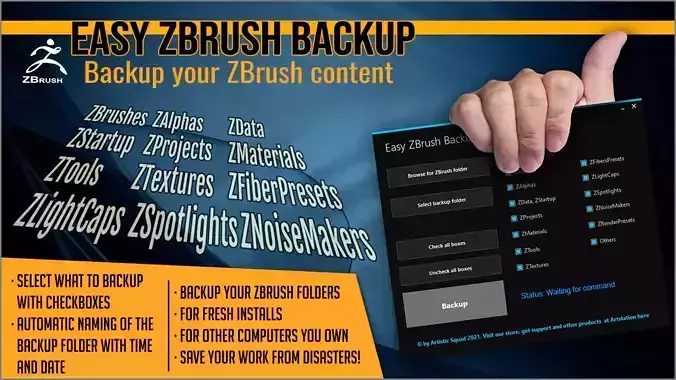
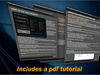
Easy ZBrush Backup is a program for doing a backup of your ZBrush folders that contain your brushes, alphas, projects, etc.

Doing this by hand can be troublesome because you can forget some folder or break something.

This way you can save all your files to a safe place when you:

Do fresh installs of ZBrush or a full upgradeInstall ZBrush to another computerCopy your content to another computer of your home or a laptopAnd for saving your work from disastersFEATURES:

Select the ZBrush installation folder that you want to backup, in case you have several ZBrush versions installed, just clicking buttons and dialogsSelect the folder where the backup will be savedAutomatic naming of the folder with date and time, so you don't overwrite any backupSelect what you want to backup clicking checkboxesChecking of the validity of the folders chosen to avoid errorsA must have for any ZBrush user that wants to keep their work safe!

Release Notes

  • Added backup of the user settings folder that you select, so this way things like custom UIs and Hotkeys are saved too into your backup. Please read the tutorial before using.

REVIEWS & COMMENTS

See what other buyers think about this model - real feedback on quality,
accuracy, and usability.
There are no reviews or comments yet. Please be the first one to write it.
BEST PRICE GUARANTEED
Found this model cheaper on another marketplace? Let our support team know - we’ll match it.

Easy ZBrush Backup 3D model

Royalty Free License
Hire
Like this model to show appreciation to the designer.
See how many times this model was viewed.
Share this model to support the designer and boost their visibility.
Native file format
ZTL
Size: 2.09 MB
Exchange format
PDF
PDF<br />File Size: 2.09 MB
Provided by designer
Information and details shared directly by the model's designer.
3D Features
The model includes animations (movement or actions) that can be played in supported software or engines.
The model has a skeleton or bone structure, making it ready for posing or animation.
PBR
Uses Physically Based Rendering materials, which give the model realistic lighting and surface properties.
Textures
The model includes image files (textures) that add color, patterns, or detail to its surfaces.
Materials
The model has material settings that define how surfaces look (color, shine, transparency, etc.).
UV Mapping
The model's surfaces are mapped to a 2D image, allowing textures to display correctly.
Plugins Used
Some external plugins were used to create the model. These may be required for full functionality.
3D printing
Indicates whether the designer marked this model as suitable for 3D printing.
Model is not 3D printable
The designer indicates this model is intended for digital use only (rendering, animation, or AR/VR) and not for 3D printing.
Unwrapped UVs
Publish date
Model ID
Chat