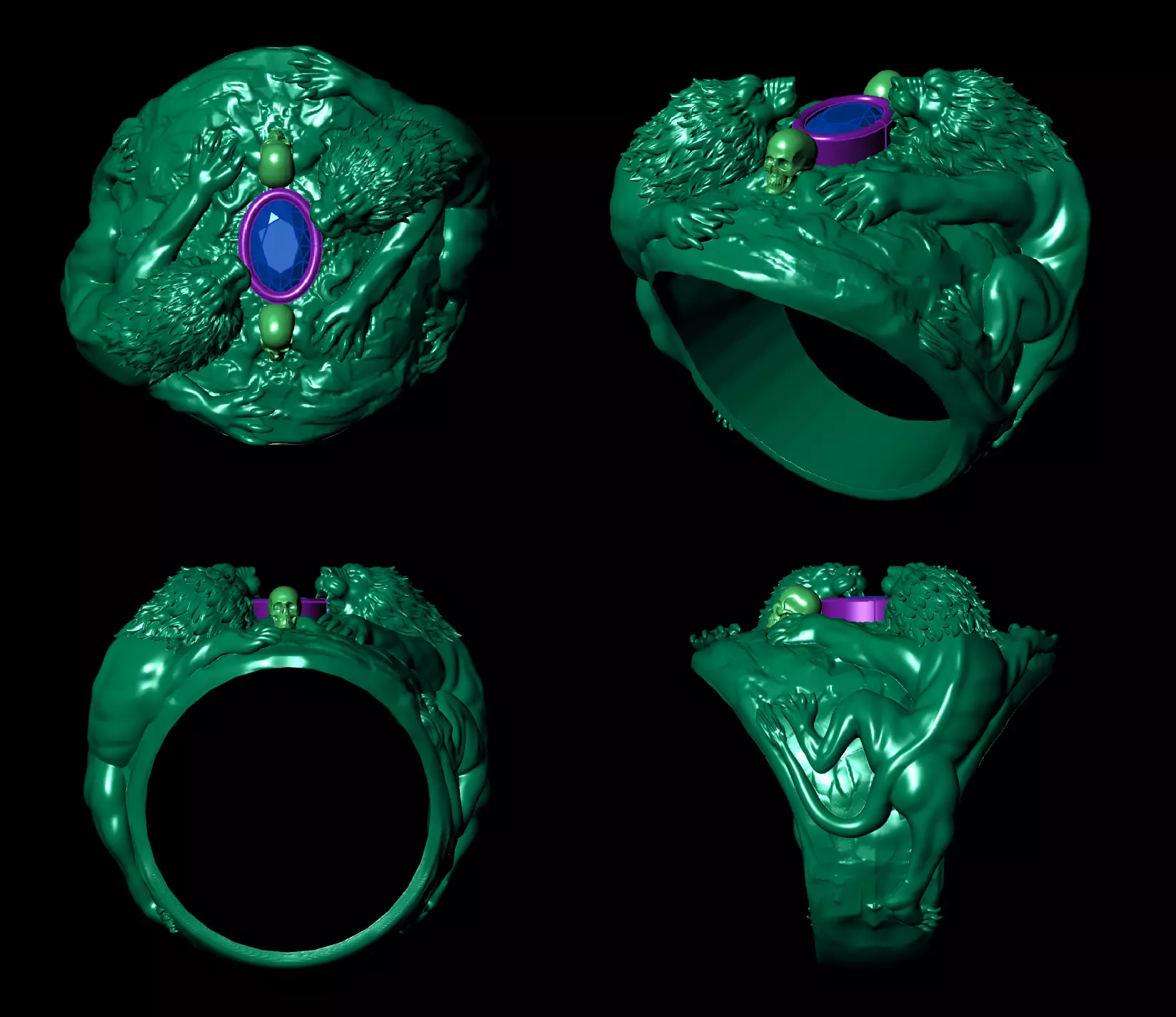
That is an incredibly detailed 3D CAD model for a statement ring. The design—featuring what looks like lions or beasts, skulls, and a central gemstone—has a very bold, macabre-meets-regal aesthetic.Since this looks like a work-in-progress for jewelry manufacturing, here are a few observations from a design and production standpoint:
- Intricate DetailingThe muscle definition on the lions and the texture of the fur are very high-resolution.• Casting Tip: When you move to the casting stage, ensure you're using a high-quality investment (mold material). Details this fine can sometimes wash out if the metal flow isn't perfect or if the wax/resin isn't burned out completely.
- Ergonomics and WearabilityThe design is quite asymmetrical and top-heavy.• The Shank: The inside of the band looks relatively smooth, which is good for comfort.• Weight: This will likely be a heavy piece. If casting in silver or gold, you might want to check the volume in your CAD software to estimate the final weight and cost.
- Stone SettingThe central oval stone is held in a bezel/collet setting (highlighted in purple).• Clearance: Make sure there is enough meat on the metal rim to fold over the stone securely without obscuring the intricate lion heads flanking it.• Under-gallery: It’s hard to tell from the angles, but if the stone is transparent (like a sapphire), adding an opening underneath the stone will help with light play and cleaning.
Next Steps for Production: • Wall Thickness: Have you checked the thinnest parts of the lion limbs to ensure they meet the minimum thickness (usually 0.8mm to 1.0mm) for a successful cast? • File Prep: Are you planning to 3D print this in a castable resin or a high-resolution wax?Would you like me to help you estimate the metal weight based on the volume, or perhaps suggest some metal and stone combinations that would suit this style?