DESCRIPTION

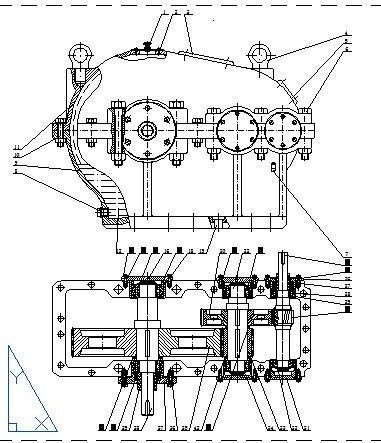
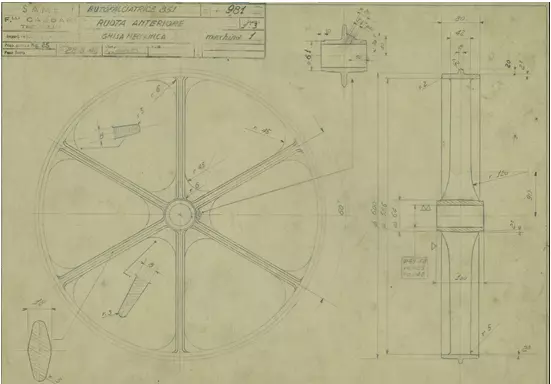
Creating a wheel design in SolidWorks involves several steps to craft a detailed and accurate CAD model. To begin, the process usually starts by sketching the wheel's profile and dimensions using the software's sketch tools. These initial sketches define the basic shape and proportions of the wheel.

Next, utilizing features like extrusions, revolves, and lofts, the 2D sketches are transformed into 3D geometry, giving depth and structure to the wheel. This phase involves adding details such as spokes, rims, and any specific patterns or textures that the wheel may have.

In SolidWorks, applying constraints and dimensions is crucial to ensure the model is precise and adheres to the intended measurements. This step involves defining parameters such as diameter, width, and any other relevant specifications.

The software allows for further refinements and adjustments, permitting the designer to fine-tune the model until it accurately matches the intended design. SolidWorks also offers tools for rendering and visualizing the wheel, giving a realistic representation of the final product.
REVIEWS & COMMENTS

See what other buyers think about this model - real feedback on quality,
accuracy, and usability.
There are no reviews or comments yet. Please be the first one to write it.

Create wheel in SolidWorks matching design CAD Free 3D model

Royalty Free License (no AI)
Hire
Like this model to show appreciation to the designer.
See how many times this model was viewed.
Share this model to support the designer and boost their visibility.
Native file format
SLDPRT
Size: 1.55 MB
Provided by designer
Information and details shared directly by the model's designer.
3D Features
The model includes animations (movement or actions) that can be played in supported software or engines.
The model has a skeleton or bone structure, making it ready for posing or animation.
PBR
Uses Physically Based Rendering materials, which give the model realistic lighting and surface properties.
Textures
The model includes image files (textures) that add color, patterns, or detail to its surfaces.
Materials
The model has material settings that define how surfaces look (color, shine, transparency, etc.).
UV Mapping
The model's surfaces are mapped to a 2D image, allowing textures to display correctly.
Plugins Used
Some external plugins were used to create the model. These may be required for full functionality.
3D printing
Indicates whether the designer marked this model as suitable for 3D printing.
Model is not 3D printable
The designer indicates this model is intended for digital use only (rendering, animation, or AR/VR) and not for 3D printing.
Unwrapped UVs
Publish date
Model ID
Chat