Open Video Tracker User GuideIntroduction
Open Video Tracker is a Blender addon that automates the process of converting video footage into 3D point clouds and camera tracks using photogrammetry techniques. The addon integrates FFmpeg, COLMAP, and GLOMAP to provide a streamlined workflow for video tracking and 3D reconstruction.
User Interface Pverview
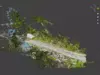
Imported Data Preview
Main Panel
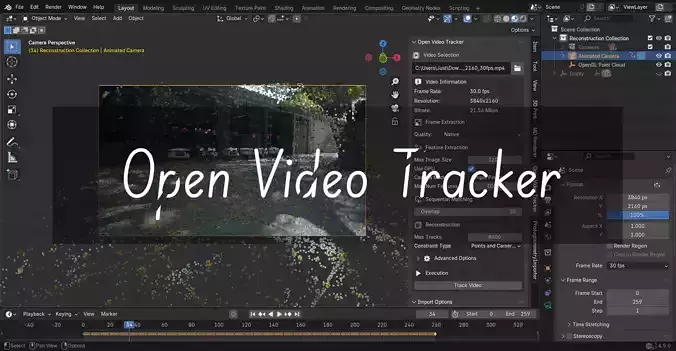
The main interface is located in the 3D Viewport sidebar under the Open Video Tracker tab.
Video Selection Section
-
Video Path: File browser to select input video file
-
Video Information: Displays frame rate, resolution, and bitrate (populated automatically)
Frame Extraction Settings
-
Quality: Preset quality levels for frame extraction (Native, High, Balanced, Low, Lowest)
Feature Extraction Settings
-
Max Image Size: Maximum dimension for feature extraction (default: 2000px)
-
Use GPU: Enable GPU acceleration for feature extraction (if you have cuda version)
-
Camera Model: Camera distortion model (Simple Radial recommended for most cases)
-
Max Num Features: Maximum features to extract per image (default: 8192)
Sequential Matching Settings
-
Overlap: Number of overlapping frames for sequential matching (default: 10)
Reconstruction Settings
-
Max Tracks: Maximum tracks per image (default: 1000)
-
Constraint Type: Balance between point and camera constraints
-
Advanced Options: Additional GLOMAP parameters (epipolar error, iterations)
Execution Controls
-
Track Video: Button to start the processing pipeline
-
Progress: Real-time progress indicator during processing
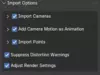
Import Options Panel
Located in the collapsible Import Options panel:
Camera Import Settings
-
Import Cameras: Enable camera track import
-
Camera Extent: Size of camera visualization
-
Add Background Images: Include original frames as background
-
Add Image Planes: Create image plane objects
-
Animation Options: Camera motion animation settings
Point Import Settings
-
Import Points: Enable point cloud import
-
Point Cloud Display: Sparsity and rendering options
-
GPU Rendering: Hardware-accelerated point display
-
Mesh Options: Convert points to mesh objects