DESCRIPTION

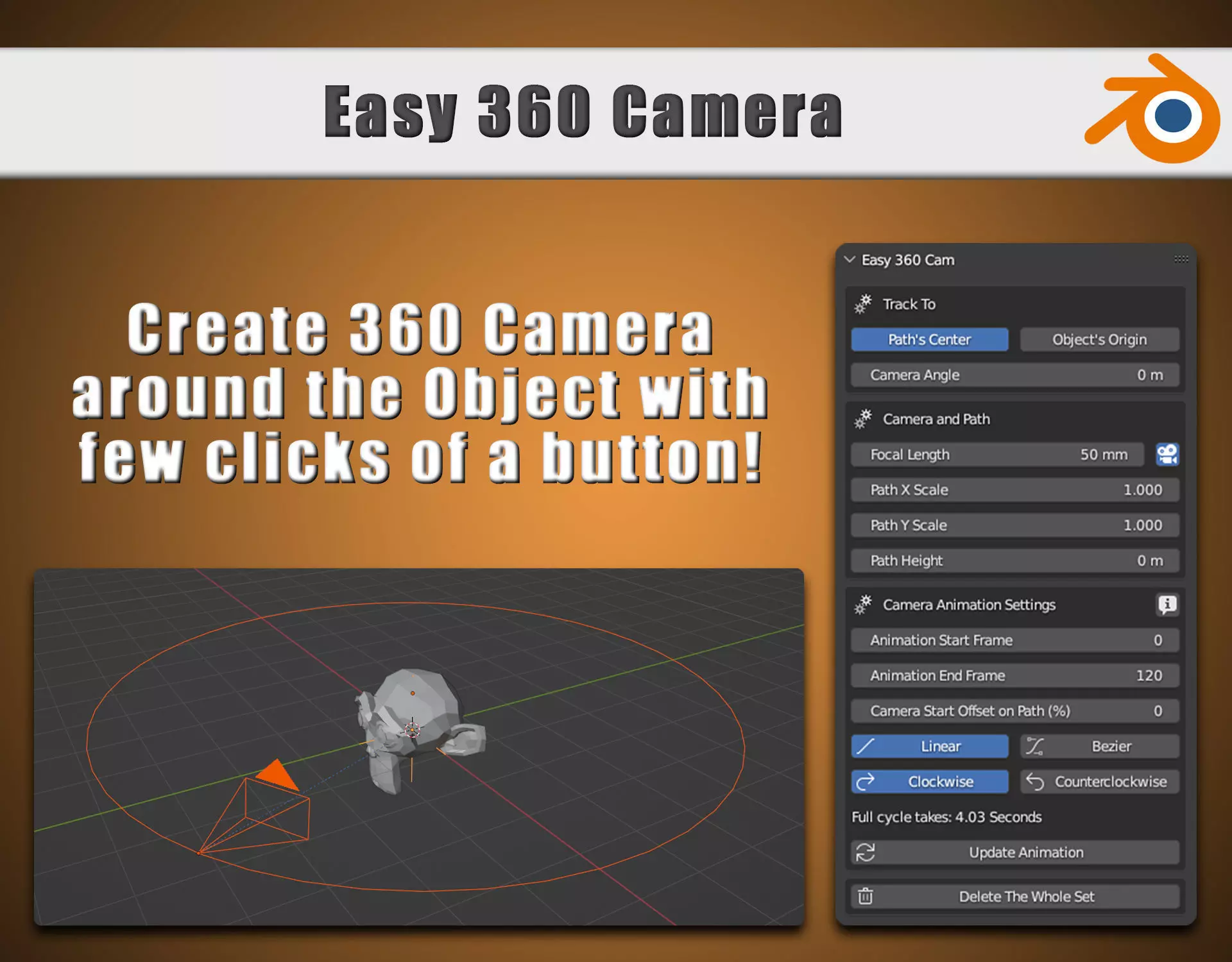
This addon creates the camera on path around the desired object and applies animation for rendering purposes.

  1. Installation
  • Go to Edit -> Preferences -> Add-ons -> Install -> select addon's .zip file -> Install Add-on -> Tick the checkmark, to enable the addon.
  • Press 'N' To open [N Panel] and find [Easy 360 Cam] tab, then Press [Launch 360 Camera Addon]
  • You're ready to use the addon.
  1. How to Create the set?
  • If no object is selected, You can only create the set, where middle point is [Wolrd's Origin]
  • If any mesh is selected, You can create the set, where middle point is [Object's Origin] or [Object's Center]
  1. How to change values of the settings?
  • To get access to all the settings, simply select any part of the set, it might be [Camera], [Path] or [Empty]
  1. All the settings:
  • Tracking object or tracking to the path's center
  • X and Y Scale of the path
  • Path height
  • Camera Angle and Focal Length
  • Select Camera as Active / Inactive (Active Camera is the one used for rendering, by pressing [Inactive], the last active camera will be used)
  • Camera animation [start frame / end frame / start offset]
  • Camera animation [frame interpolation - linear or bezier]
  • Camera animation [camera goes clockwise or counterclockwise on the path]
  • Quick [Delete The Whole Set] button, to delete the selected set.

Important!

  • After any change in the [Animation Settings] section, make sure to hit [Update Animation] button to apply changes.

The best way to learn how it works is to play with the addon for few minutes, it's really easy and intuitive to use and saves a lot of time.
REVIEWS & COMMENTS

See what other buyers think about this model - real feedback on quality,
accuracy, and usability.
There are no reviews or comments yet. Please be the first one to write it.
BEST PRICE GUARANTEED
Found this model cheaper on another marketplace? Let our support team know - we’ll match it.

Blender Easy 360 Camera Addon 3D model

Royalty Free License
Hire
Like this model to show appreciation to the designer.
See how many times this model was viewed.
Share this model to support the designer and boost their visibility.
File format
PY
Python Script<br />File Size: 5.59 KB
Provided by designer
Information and details shared directly by the model's designer.
3D Features
The model includes animations (movement or actions) that can be played in supported software or engines.
The model has a skeleton or bone structure, making it ready for posing or animation.
PBR
Uses Physically Based Rendering materials, which give the model realistic lighting and surface properties.
Textures
The model includes image files (textures) that add color, patterns, or detail to its surfaces.
Materials
The model has material settings that define how surfaces look (color, shine, transparency, etc.).
UV Mapping
The model's surfaces are mapped to a 2D image, allowing textures to display correctly.
Plugins Used
Some external plugins were used to create the model. These may be required for full functionality.
3D printing
Indicates whether the designer marked this model as suitable for 3D printing.
Model is not 3D printable
The designer indicates this model is intended for digital use only (rendering, animation, or AR/VR) and not for 3D printing.
Unwrapped UVs
Publish date
Model ID
Chat