DESCRIPTION

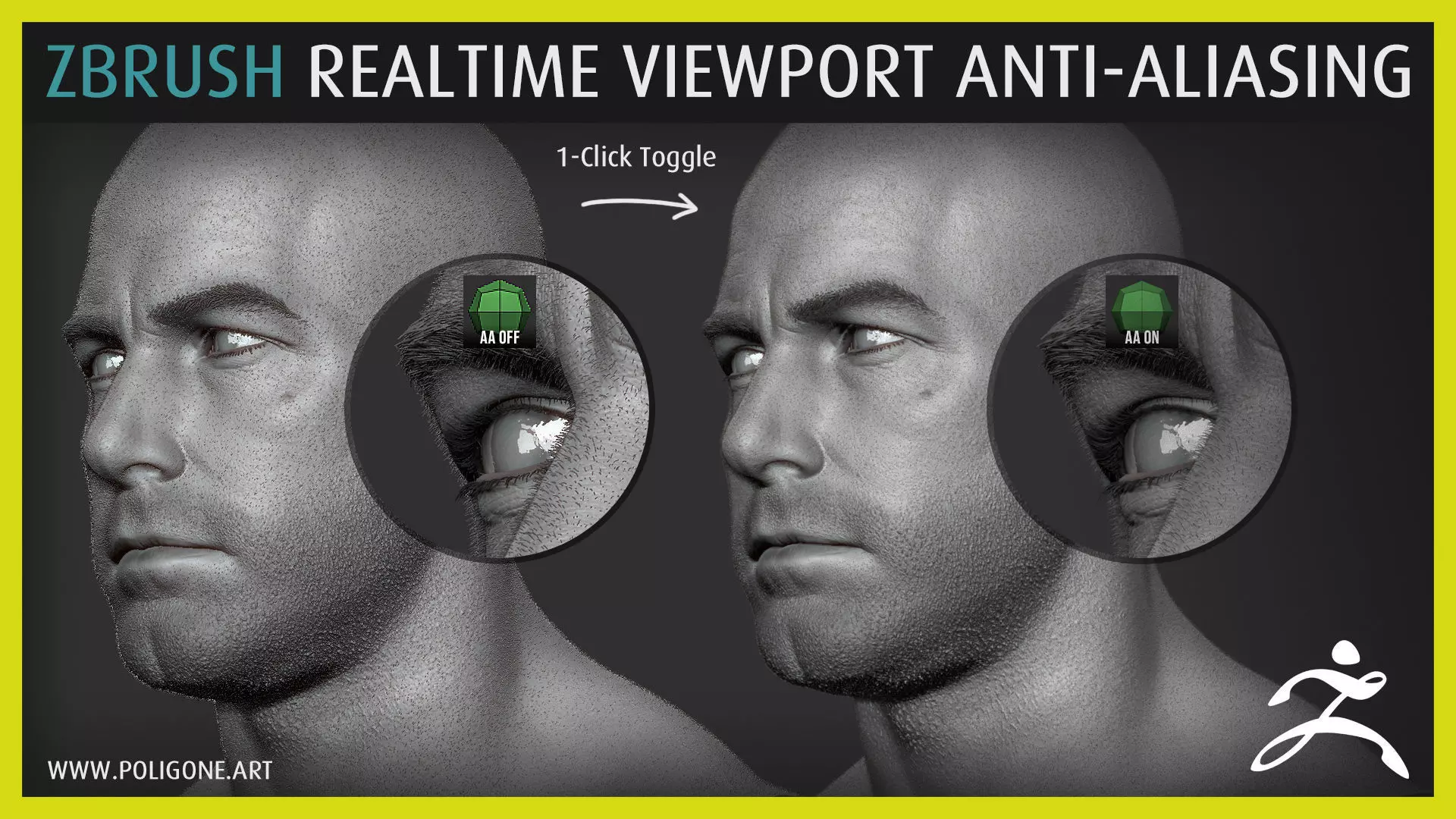
These macros will enable/disable AA for better real-time rendering, especially for quick viewport screenshots. Works best for hair and thin objects. Note that enabling AA will heavily affect ZBrush performance so don't use it when sculpting.

CHANGELOG:v1.1: Toggling AA will never move or zoom into your mesh, maintaining the original position on the canvas.v1.2: Combine two macros into a single button. Easy On/Off.v1.3: Supports hi-res monitor with Windows Scaling on.

CONTENTS:This package contains one macro script for ZBrush:Anti-Aliasing.txt

INSTALLATION:

  • Extract & copy Poligone folder inside .ZIP file to ZStartup\Macros folder inside ZBrush installation path (Default at C:\Program Files\Pixologic\ZBrush\ZStartup\Macros).
  • Restart ZBrush.

USAGE:Under Macros menu (on top of ZBrush main interface) you will find Anti-Aliasing button. Click it to turn AA on/off.

COMPATIBLE:ZBrush 2018 and above (Tested working on 2021.6)

LICENSES:

Personal License: You can use this license for personal projects, not for commercial.Indie License: You can use this license for indie project with a team of less than 10 people.Commercial License: You can use this license for commercial project with a team of 10 people & more.

If you have any question, don't hesitate to email me at: artofpoligone@gmail.com

INFO:

Better preview images at:www.artstation.com/poligoneMy website:www.poligone.artFor any feedback, questions & updates:www.facebook.com/artofpoligoneVisit my store for other products:www.poligone.art/storeWIP or daily updates:www.instagram.com/artofpoligone
REVIEWS & COMMENTS

See what other buyers think about this model - real feedback on quality,
accuracy, and usability.
Palasky
PalaskyCommunity member
This user is part of the CGTrader community
Cool!

Poligone - ZBrush Realtime Viewport Anti-Aliasing 3D model

Royalty Free License
Hire
Like this model to show appreciation to the designer.
See how many times this model was viewed.
Share this model to support the designer and boost their visibility.
File format
ZTL
Zbrush<br />Version: 1.<br />File Size: 827 KB
Provided by designer
Information and details shared directly by the model's designer.
3D Features
The model includes animations (movement or actions) that can be played in supported software or engines.
The model has a skeleton or bone structure, making it ready for posing or animation.
PBR
Uses Physically Based Rendering materials, which give the model realistic lighting and surface properties.
Textures
The model includes image files (textures) that add color, patterns, or detail to its surfaces.
Materials
The model has material settings that define how surfaces look (color, shine, transparency, etc.).
UV Mapping
The model's surfaces are mapped to a 2D image, allowing textures to display correctly.
Plugins Used
Some external plugins were used to create the model. These may be required for full functionality.
3D printing
Indicates whether the designer marked this model as suitable for 3D printing.
Model is not 3D printable
The designer indicates this model is intended for digital use only (rendering, animation, or AR/VR) and not for 3D printing.
Unwrapped UVs
Publish date
Model ID
Chat