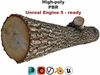
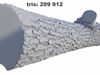
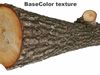
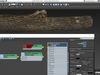
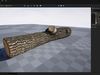
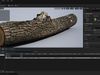
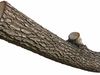
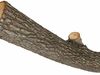
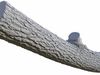
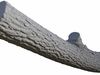
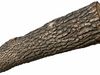
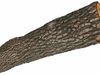
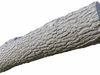
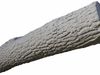
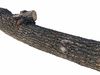
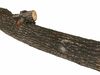
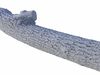
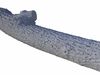
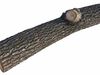
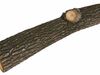
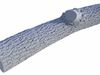
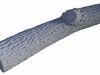
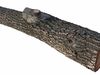
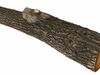
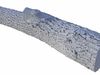
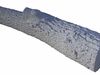
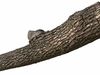
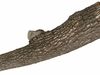
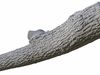
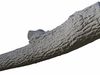
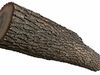
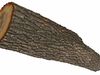
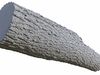
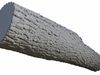
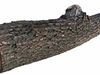
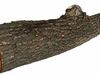
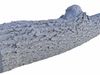
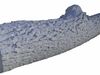
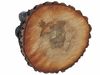
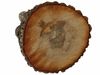
The model is intended for rendering.
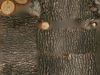
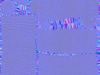
All textures are 4096 x 4096, png.
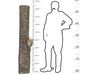
Model dimentions: 168,114 x 34,276 x 37,299 cm ( 5,516' x 1,125' x 1,224' ).
Geometry, Materials and Textures have correct and unique names.
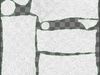
Model have non-overlaping uvw mapping.
Raw scan is also included.
Avialable file formats:
-
1. Autodesk 3ds Max 2014 with Vray materials. Tested in Vray 3.6(native), Vray Next, Vray 5.
Located in Log_HP_01_3dsMax_2014_Vray_3_6.zip archive.
The archive content:
3ds Max 2014 scene.
FBX (exported from this scene, with Vray materials).
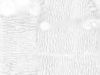
Textures folder with Diffuse, Normal maps (Normal map have DirectX format).
If you use fbx then you may need to assign textures manually. Remember that Diffuse must be loaded with automatic gamma, but Normal map with gamma 1!
Who works in the V-Ray version lower than 3.1, be careful, in the materials in the BRDF section there is Microfaset GTR (GGX), if your version is older than 3.1, then the BRDF field will be empty. Choose Blinn, Phong or Ward - which is preferable for you.
-
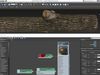
2. Autodesk 3ds Max 2014 with Corona materials. Tested in Corona 6.
Located in Log_HP_01_3dsMax_2014_Corona.zip archive.
The archive content:
3ds Max 2014 scene.
FBX (exported from this scene, with Corona materials).
Textures folder with Diffuse, Normal maps (Normal map have DirectX format).
If you use fbx then you may need to assign textures manually. Remember that Diffuse must be loaded with automatic gamma, but Normal map with gamma 1!
-
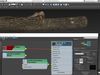
3. Autodesk 3ds Max 2014 with default Standard materials. Tested in Scanline.
Located in Log_HP_01_3dsMax_2014_Standard.zip archive.
The archive content:
3ds Max 2014 scene.
FBX (exported from this scene, with Standard materials).
Textures folder with Diffuse, Normal maps (Normal map have DirectX format).
If you use fbx then you may need to assign textures manually. Remember that Diffuse must be loaded with automatic gamma, but Normal map with gamma 1!
-
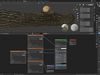
4. Blender 2.92 with Cycles materials. Renderer: Cylcles, EEVEE.
Located in Log_HP_01_Blender_2_92_Cycles_EEVEE.zip archive.
The archive content:
Blender scene.
FBX (exported from this scene, with Cycles materials).
Textures folder with Basecolor, Metallic, Roughness, Normal maps (Normal map have OpenGL format).
Import the model into your application and assign the materials that your application uses. Assign textures from the archive Log_HP_01_PBR_Textures.zip. In the archive you will find PBR textures for metallic-roughness wokflow (AmbientOcclusion, BaseColor, Metallic, Roughness, Normal_DX, Normal_OGL). Normal map has both DirectX and OpenGL versions. Remember that Metallic, Roughness, Normal maps must be loaded with gamma 1!
Original scan data as is
Formats: FBX, OBJ, PLY, WRLTris: 910 000. Without any optimization.Texture: 8192*8192 PNG. Without any retouch.
-
STL. The model successfully passes the stl-check, but I have not tried to print it, I don’t know what will come of it, please keep this in mind if you buy because of stl.