DESCRIPTION

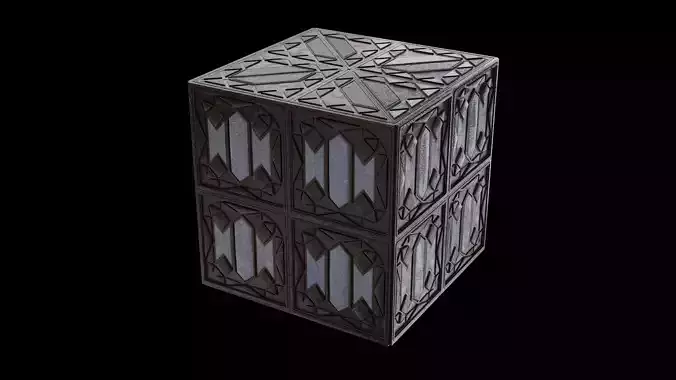
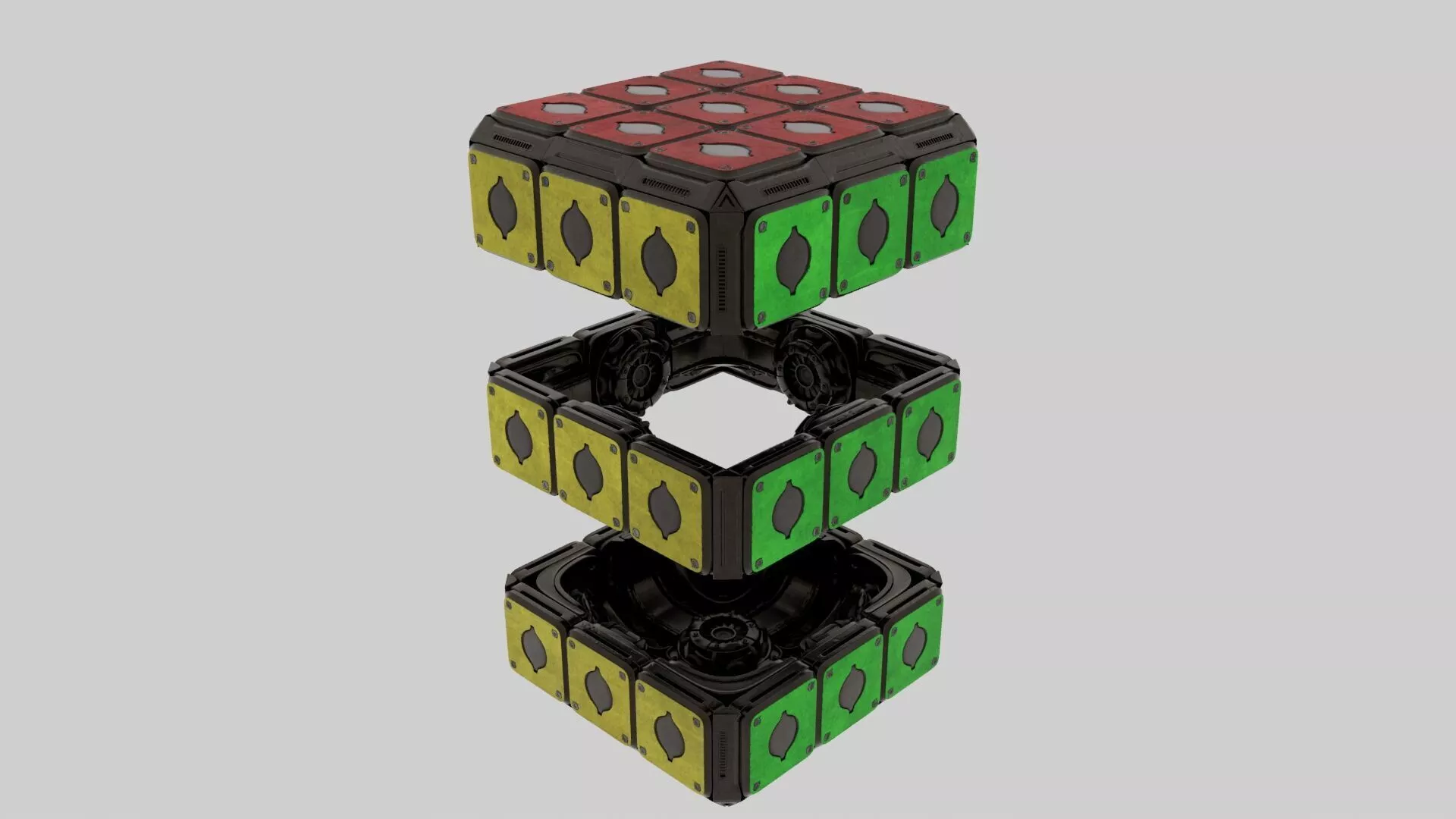
High-poly sci-fi mechanical puzzle cube 3D model.

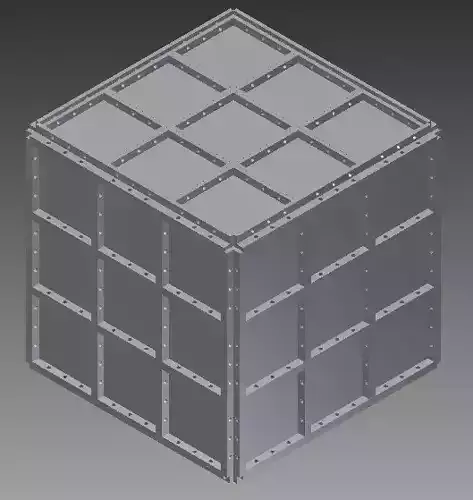
This model features a futuristic cube-shaped mechanical object with colored metal panels, worn surface details, bolts, dark mechanical inner parts, and a layered hard-surface structure. The asset includes both closed and opened presentation views, making it suitable as a sci-fi prop, puzzle device, energy core, mechanical artifact, or futuristic game object.

It is suitable for:

  • Sci-fi scenes
  • Puzzle game assets
  • Futuristic environments
  • Mechanical props
  • Game or film-style presentation
  • Cinematic renders
  • Close-up shots
  • Concept art and visual development

The model is designed with detailed hard-surface elements and weathered materials. It can be used as a background prop, interactive object, collectible item, or mysterious mechanical device in sci-fi, cyberpunk, laboratory, industrial, or futuristic scenes.

High-resolution PNG textures are included and organized inside the sourceimages folder by model parts.

Included texture types may include:

  • BaseColor
  • Normal
  • Roughness
  • Metallic
  • Emissive where applicable

Maya Texture Path Notice:Depending on your Maya version, project settings, or the location where the package is extracted, some texture paths may need to be relinked manually.

Recommended Maya setup:

  1. Unzip the package.
  2. Open Maya.
  3. Go to File > Set Project.
  4. Select the extracted package folder.
  5. Open the Maya scene file inside the scenes folder.

If textures are missing:

  1. Open Windows > General Editors > File Path Editor.
  2. Select the missing texture paths.
  3. Relink them to the sourceimages folder inside this package.
  4. Keep the original folder structure unchanged.

All textures are stored under:sourceimages/

The texture folders are separated by model parts. Please keep the original folder structure unchanged.

TX files are not included. If you use Arnold, Maya/Arnold may generate TX files automatically in your own environment.

ハイポリ仕様のSFメカニカル・パズルキューブ3Dモデルです。

赤・黄・緑の金属パネル、汚れや経年劣化のある表面、ボルト、黒い内部メカパーツ、レイヤー構造のハードサーフェスディテールを含む、近未来的な立方体型メカニカルオブジェクトです。

閉じた状態と開いた状態の見せ方に対応しやすく、SFプロップ、パズル装置、エネルギーコア、メカニカルアーティファクト、ゲーム内のギミックオブジェクトなどとして使用できます。

使用用途:・SFシーン・パズルゲーム用アセット・近未来背景・メカニカルプロップ・映像用レンダー・近接ショット・コンセプトビジュアル・ゲーム、映画風のビジュアル制作

ハードサーフェス系のディテールとウェザリング表現を含んでおり、SF、サイバーパンク、研究施設、工業系、近未来系のシーンに配置しやすいモデルです。

高解像度PNGテクスチャを同梱しています。テクスチャはパッケージ内の sourceimages フォルダ以下に、各パーツごとにフォルダ分けして格納しています。

含まれる主なテクスチャ:・BaseColor・Normal・Roughness・Metallic・Emissive など

Mayaでのテクスチャパスについて:Mayaのバージョン、プロジェクト設定、またはパッケージの解凍場所によって、テクスチャパスが切れる場合があります。

推奨手順:

  1. ZIPを解凍してください。
  2. Mayaを起動してください。
  3. File > Set Project を選択してください。
  4. 解凍したパッケージフォルダを指定してください。
  5. scenes フォルダ内のMayaファイルを開いてください。

テクスチャが表示されない場合:

  1. Windows > General Editors > File Path Editor を開いてください。
  2. Missingになっているテクスチャパスを選択してください。
  3. パッケージ内の sourceimages フォルダ以下に再リンクしてください。
  4. フォルダ構造は変更しないでください。

すべてのテクスチャは以下に格納されています:sourceimages/

各テクスチャはパーツごとにフォルダ分けされています。フォルダ構造を変更すると、テクスチャリンクが切れる場合があります。

TXファイルは同梱していません。Arnoldを使用する場合、Maya/Arnold側でTXファイルが自動生成される場合があります。

REVIEWS & COMMENTS

See what other buyers think about this model - real feedback on quality,
accuracy, and usability.
There are no reviews or comments yet. Please be the first one to write it.
BEST PRICE GUARANTEED
Found this model cheaper on another marketplace? Let our support team know - we’ll match it.
NEW
Recently added to CGTrader - explore one of the latest models on the marketplace.

Sci-Fi Mechanical Puzzle Cube 3D Model 3D model

Royalty Free License (no AI)
Hire
Like this model to show appreciation to the designer.
See how many times this model was viewed.
Share this model to support the designer and boost their visibility.
File formats
OBJ
OBJ<br />File Size: 720 MB
FBX
Autodesk FBX<br />File Size: 720 MB
JPG
JPG<br />File Size: 720 MB
MA
Autodesk Maya<br />File Size: 720 MB
PNG
PNG<br />File Size: 720 MB
Verified by CGTrader
Verified models are of higher quality as they have
passed CGT Standard technical and visual checks,
making them more professional-grade 3D assets.
Learn more.
FBX
This FBX file has successfully passed the CGT Standard technical and visual checks. The verification results are detailed in the section below.
File & scene
Binary FBX
Binary FBX file is more compact and faster to load and process.
Learn more
No unsupported objects
Unsupported objects:
- Lights
- Cameras
Learn more
Geometry
No N-gons
N-gons are polygons with five or more sides which might cause issues in certain processes like rendering or animation. Learn more
No faceted geometry
Faceted geometry uses flat surfaces without smoothing, which can look unrealistic on curves.
Learn more
Manifold geometry
Manifold geometry ensures all surfaces are properly connected, avoiding issues like edges shared by more than two faces.
Learn more
Textures & material
PBR textures
PBR textures simulate how light interacts with materials, making the model look realistic under different lighting.
Required PBR textures:
- Base Color
- Roughness
- Metalness
- Normal
Learn more
No embed textures
Embedded textures are stored inside the model file, increasing its size and sometimes causing compatibility issues.
Learn more
Square textures
Texture aspect ratio is the width-to-height ratio of a texture. Expected texture aspect ratio: 1:1
Learn more
Power of 2 texture sizes
Textures with dimensions in power of two (e.g. 512x512px, 1024x1024px) are used to optimize performance and memory usage.
Learn more
Assigned materials
Materials are applied to the 3D model to allow visualize a model's surface properties and appearance.
Learn more
UVs & naming
No UV overlaps
UVs overlap when multiple points on the 3D model's surface are mapped to the same point on the UV island causing texture stretching.
Learn more
UV unwrapped model
A UV unwrapped model means its 3D surface is flattened into 2D space, allowing textures to be applied accurately.
Learn more
Allowed characters
Allowed ASCII characters: a-zA-Z0-9-_
Learn more
Provided by designer
Information and details shared directly by the model's designer.
3D Features
Textures
The model includes image files (textures) that add color, patterns, or detail to its surfaces.
3D printing
Indicates whether the designer marked this model as suitable for 3D printing.
Model is not 3D printable
The designer indicates this model is intended for digital use only (rendering, animation, or AR/VR) and not for 3D printing.
Geometry
Polygon mesh
A model built from polygons (triangles or quads) connected in a mesh.
Unwrapped UVs
Publish date
Model ID
Chat